
Custom Domain vs Custom Slug for Short Links
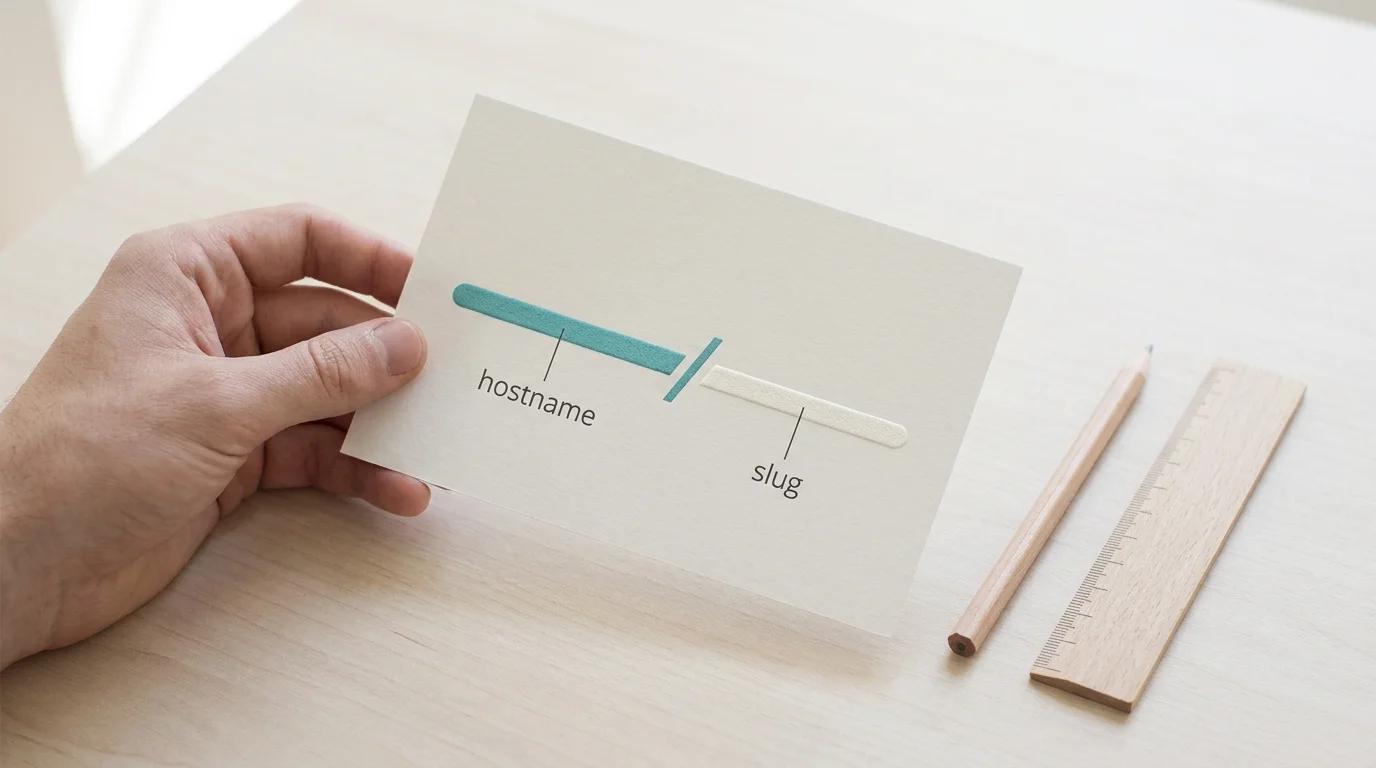
A custom domain changes the hostname before the slash, whereas a custom slug changes the path after it. Registering a domain gives you ownership of the web address, while writing a slug customizes the routing instructions for a specific destination. Both improve link readability, but serve different branding and portability needs.
When an AI agent or a colleague receives a prompt like “Make a link for my spring sale post on LinkedIn,” the first task is campaign attribution. Trnqify’s in-app AI UTM Assistant processes that plain-language request and suggests standard tags, appending utm_source=linkedin, utm_medium=social, and utm_campaign=spring-sale to your destination URL. Those tags help the analytics platform attribute the traffic to the campaign. But once the destination URL is ready, you still have to shape the short link your audience sees and clicks.
Because they are independent choices that solve different problems, evaluating a custom domain vs custom slug requires comparing the recognition benefits, portability limits, setup requirements, and upkeep demands of each format.
Customizing the Hostname vs. the Path
A standard URL consists of several functional parts, but the most visible pieces of a short link are the hostname and the path. The hostname is the web address of the shortening service, and the path is the string of characters following the slash that identifies the short link the service resolves to your destination.
Bitly treats the domain and back-half as separate elements, with the available customizations depending on the subscription plan. That means customizing the domain requires having a custom domain attached to the account, while customizing the back-half uses the keyword parameter. Bitly’s developer documentation outlining what constitutes a custom link confirms this distinction, showing a custom domain with or without a customized back-half and the generic Bitly domain with a customized back-half.
The combinations look like this in practice:
| Link Format | Hostname Setup | Path Setup |
|---|---|---|
short.example/a8D9 | Shared domain | Generated path |
short.example/spring-sale | Shared domain | Descriptive slug |
go.yourbrand.example/a8D9 | Custom domain | Generated path |
go.yourbrand.example/spring-sale | Custom domain | Descriptive slug |
Changing the visible URL does not alter your attribution strategy or your click tracking. The UTM parameters sit on the destination URL, hidden from the user until after the redirect occurs. The short-link provider records the click event at the routing layer and then forwards the visitor to the final destination with the UTM tags intact, allowing you to change your domain or rewrite your slug without breaking the underlying campaign measurement.
Using a Custom Slug on a Shared Domain
A descriptive path tells people what a link is about, even though the hostname still belongs to the shortener. You paste your long destination URL into the platform, accept the default provider domain, and replace the random alphanumeric string with recognizable words.
Because this setup prioritizes speed, you skip the process of registering a domain, managing DNS records, and verifying ownership. You can launch campaigns immediately, and developers building automated workflows can generate descriptive links through an API without provisioning new infrastructure. A descriptive slug provides enough context to reassure a user about the link’s destination, making it effective for social media bios, email newsletters, and direct messaging.
Relying on a shared domain carries a specific limitation. The slug adds context to the offer, but it does not add your brand’s trust signals to the hostname. If the provider’s shared domain triggers a spam filter or faces a temporary block on a social platform, your link goes down with it. A custom slug also offers no guaranteed search engine optimization benefits; it serves as a usability feature for human readers.
Pricing and availability for custom slugs vary widely across the market. Many platforms restrict descriptive paths to paid tiers or limit the total number of custom links an account can generate. Review the plan details for your specific UTM tracking software workflows before assuming a shared domain automatically grants you unlimited custom slugs.
The Value of a Branded Short Domain
A branded short domain places your organization’s identity in the hostname. Instead of relying on a generic provider address, your links begin with a recognizable asset like go.yourbrand.example or a shortened variation of your primary company name.
The primary benefit is durability, because controlling the domain keeps your brand visible across recurring campaigns and long-lived physical placements. Printed partner materials, packaging, billboard advertisements, and event QR codes demand stable links, and a branded domain gives you an authoritative foundation for these permanent assets.
Operating a custom domain requires purchasing the domain and configuring its DNS settings. Rebrandly provides clear steps for adding a domain to a shortening platform, including the required DNS settings and the verification status shown on the Domains page. The domain can take up to a day to become ready to use, though it is usually ready immediately.
You do not have to write a custom slug for every link on a branded domain. Generating random paths behind your own hostname is efficient for large-scale operations. When an application creates unique links for thousands of individual user receipts or shipping notifications, a branded domain paired with an autogenerated path offers a balance of trust and automation.

Comparing Custom Domains and Custom Slugs
Choosing the right format requires weighing the setup burden against the long-term control. The table below compares a shared domain paired with a custom slug against a fully branded custom domain.
| Decision Factor | Shared Domain + Custom Slug | Custom Domain (Branded) |
|---|---|---|
| Brand Recognition | Path clarifies the offer; hostname remains generic. | Hostname reinforces the brand; path can be descriptive or random. |
| Setup Process | Immediate. Type the slug and publish the link. | Requires DNS configuration, provider verification, and propagation time. |
| Ongoing Upkeep | None. The provider maintains the domain registration. | High. Organization must renew domain registration. |
| Infrastructure Control | Low. Subject to the reputation of the shared domain. | High. Organization isolates its link reputation on its own hostname. |
| Link Portability | Zero. Shared hostnames cannot move to new providers. | Partial. The domain moves, but link mappings and analytics do not transfer automatically. |
| Measurement Impact | None. Clicks are logged at redirect time. | None. Clicks are logged at redirect time. |
Recognition and clarity drive the initial decision, but control and portability define the long-term relationship with your software. When you use a shared domain, you remain tied to that provider for those specific links. You cannot take a generic provider domain with you if you cancel your account.
Control of a branded domain allows you to point the hostname to a different provider in the future. However, domain control alone does not transfer the links themselves. The shortening platform holds the database mapping your short URLs to their final destinations, along with your historical click analytics. If you point your domain to a new service, you must transfer or recreate every active link in the new system.
Google’s technical guidance for site moves and URL changes advises mapping old URLs to their new destinations during a migration. Apply the same planning to short-link provider changes by recording each existing link’s destination before switching providers.
Trnqify handles the measurement side of this equation consistently regardless of your URL choice. The platform records clicks at redirect time without relying on cookies or deploying tracking scripts to shared links. Whether you use a generic hostname or a fully branded domain, the core mechanism remains the same: the server logs the visit, parses the requested path, and forwards the user to the destination with all campaign tags applied. Choosing a branded domain changes the visible presentation, not the privacy-first analytics model.
Choosing the Right Link Format
Your specific use case dictates the best URL format, so it helps to settle on your link structure before publishing to channels where updates are difficult.
Use a shared hostname with a descriptive slug when speed and simplicity matter most. If you are testing new social media campaigns or linking out to a weekly sponsor, a shared hostname with a descriptive slug gives you recognizable paths without the overhead of DNS management.
Consider a branded domain for recurring or long-lived placements. If your organization prints links on physical packaging, embeds QR codes in presentation slide decks, or distributes collateral through offline partner networks, you need the durability of your own hostname and must be willing to manage the registration and technical setup.
Use both when the hostname should identify the brand and the path should describe the campaign. A URL like go.yourbrand.com/fall-webinar provides brand recognition and immediate context. Check an email link shortener checklist to ensure your chosen format aligns with your newsletter platform’s tracking requirements.
Trnqify supports both approaches based on your account tier. The Free plan includes unlimited links and unlimited clicks, though a marketing interstitial appears after 1,000 clicks per month. The Pro plan provides access to custom slugs and one custom domain, along with signed webhooks and detailed city-level analytics. Developers building AI tools can connect to Trnqify’s MCP (Model Context Protocol) server on any plan — Free agents get limited access, while Standard and Pro include full MCP access.
Ready to shorten your links?
Try Trnqify free and start sharing smarter links with privacy-first analytics.
Try Standard free for 14 days. No card. Sign up, or log in to your Free account, and the trial starts automatically. After that it’s $9/month if you add a card, or you go back to the Free plan.
Trnqify turns plain-language campaign descriptions into UTM-tagged short links. Set up UTM parameters with the in-app AI assistant, choose your preferred domain format, and measure clicks securely without invasive tracking scripts. Start managing your campaign links today at trnqify.com.
Frequently Asked Questions
Is a Custom Domain the Same as a Custom Slug?
No. A custom domain changes the hostname portion of the link, which appears before the slash. A custom slug changes the path portion of the link, which appears after the slash. Registering a domain gives you ownership of the web address, while writing a slug customizes the routing instructions for a specific destination.
Can I Use Both, or Use a Custom Slug on a Shared Domain?
You can combine these features or use them independently. A short link can feature a branded domain with an autogenerated path, a shared domain with a custom descriptive slug, or a branded domain paired with a custom descriptive slug. The choice depends on the features supported by your specific provider plan.
Can I Move Short Links to Another Provider?
Moving away from a shared domain breaks your existing links because the provider owns the hostname. Moving a branded domain is possible because you own the DNS records and can point them to a new service. Before migrating, confirm that your new provider allows you to import your existing URL mappings. Moving the domain name does not automatically transfer your link routing rules or your historical click analytics.
Does a Custom Slug Help SEO?
A descriptive path on a short link offers no guaranteed search ranking benefits. Search engines evaluate the final destination URL, not the intermediate redirect link. Google search documentation confirms that permanent server-side redirects pass ranking signals directly to the destination page. Use descriptive slugs to help human readers understand the context of the link, not as a tactic to manipulate search algorithms.
Does Changing the Domain Affect Click Tracking?
Changing the visible hostname does not change how a shortening platform measures traffic. The provider’s infrastructure handles the request, logs the event data, and executes the redirect whether the domain is shared or branded. The accuracy of your click counts, location data, and device analytics depends on the provider's technical measurement model rather than the specific letters in the URL.