
UTM Tracking Software: Compare Three Workflows
You need to track campaign links without losing track of your own naming rules. UTM tracking software gives you a way to document those rules, assemble tagged destination URLs, and measure redirect clicks before a visitor reaches the final page. Spreadsheets typically record links and enforce basic naming rules through cell validation. Standalone builders connect campaign parameters to a destination URL without storing the result. Link-management platforms often combine short-link creation, reusable link records, click analytics, and system integrations into one interface.
Because UTMs label campaign traffic in destination analytics but do not count redirects by themselves, you have to decide which parts of the link-creation process require dedicated software. A complete comparison evaluates these options against four common requirements: shared rules, a searchable library, clearly scoped analytics, and automation. Trnqify serves as a lead candidate for organizing UTMs, reporting on clicks, using AI to draft tags, and generating short links. Its product features describes those capabilities, but does not establish a searchable or filterable library or an enforced shared taxonomy. Both of those organizational functions remain requirements to verify before adopting any platform for your daily operations.

Core Functions of UTM Tracking Software
A tagging workflow attaches predefined parameters to the end of a web address. When a visitor clicks that URL, the destination site reads the attached information and assigns the resulting visit to a specific channel, source, or promotional effort. The parameters themselves carry the data across the web, while software facilitates creating, storing, and distributing those extended URLs so you do not have to type them by hand.
Evaluating these tools requires separating the creation phase from the measurement phase. The labels attached to a link tell the destination analytics platform where the traffic originated, but those text strings do not record the click event. Measuring how many times a link was clicked requires a separate mechanism. If you only need to standardize the text strings, a basic document works. If you want to count clicks before the user reaches the destination, you need a system that sits between the initial click and the final page load.
Link-management platforms fill that intermediate role by processing the redirect and logging the event. They give you a central location to generate the tags, shorten the final URL, and review the resulting click volume without waiting for destination analytics to update. While many services call themselves UTM tracking software, their capabilities vary by product architecture. Assessing them means checking how they handle shared rules, link reuse, analytics boundaries, and programmatic access.
Capabilities of a Link-Management Platform
A dedicated platform connects tagged destinations to short-link creation, persistent link records, click reporting, and external integrations. Instead of maintaining a separate list of generated URLs and a different system for checking link performance, you log into one interface to generate the tag and measure the result. Feature sets vary by product and subscription tier, so match your operational requirements against the platform’s documented capabilities.
Trnqify’s Supported Workflow
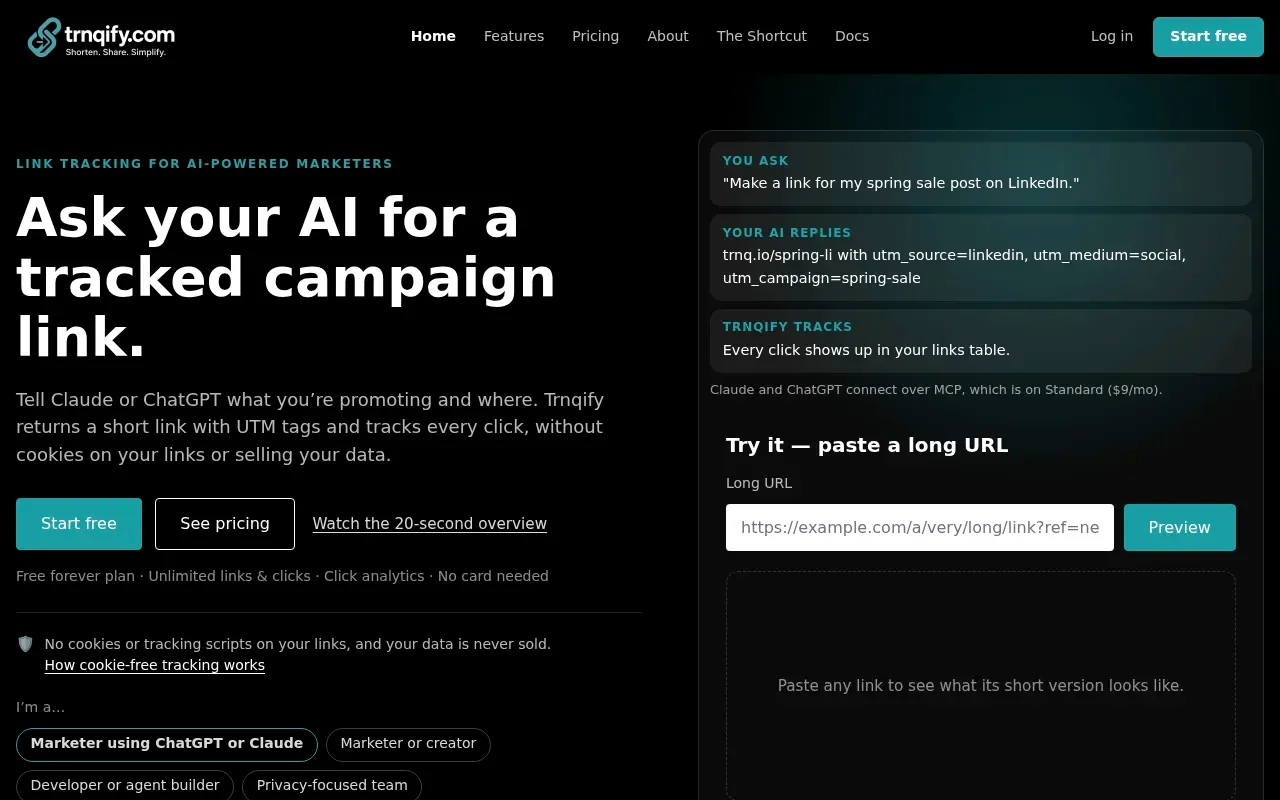
Trnqify operates as a web-based link shortener and campaign link manager. The platform creates shareable short URLs and organizes links using UTM source, medium, and campaign fields. Rather than requiring you to type each parameter, its in-app AI UTM Assistant suggests campaign tags based on your plain-language description, giving you a draft to review.
The application tracks clicks through shortened links and provides per-link and account-wide analytics. Trnqify’s pricing page lists a Free tier with unlimited links and clicks, a Standard plan at $9 per month, and a Pro plan. The AI UTM Assistant is included across plans, while Standard and Pro include MCP and API access for programmatic workflows. Pro lists custom slugs, webhooks, and city-level analytics. Because the public overview does not specify webhook event coverage or signing, confirm those details before building around them.
Capabilities to Verify
While public materials outline link creation and redirect measurement, specific organizational functions require independent verification. The product context supports link organization, but does not establish how search and filtering operate within the interface. The AI assistant suggests tags, which helps standardize input, but it does not represent an enforced company taxonomy or a locked naming dictionary. If your workflow requires strict role-based team permissions, bulk import tools, or automatic UTM normalization, Trnqify’s public materials do not confirm these capabilities, so verify them before adopting the platform.
Measurement definitions also carry distinct boundaries. Trnqify says it tracks short-link clicks without cookies or tracking scripts on the links and does not sell user data. This privacy-focused approach applies strictly to the redirect event on the shared link. It does not mean no data is collected, nor does it imply that clicks represent anonymous, unique visitors. Public materials do not describe bot filtering or deduplication, so treat reported totals as click events rather than unique visitors. The MCP and API options are intended for programmatic link creation, but check the technical documentation for supported clients and exact handoff behavior before building an automated workflow.
Managing Links in a Spreadsheet
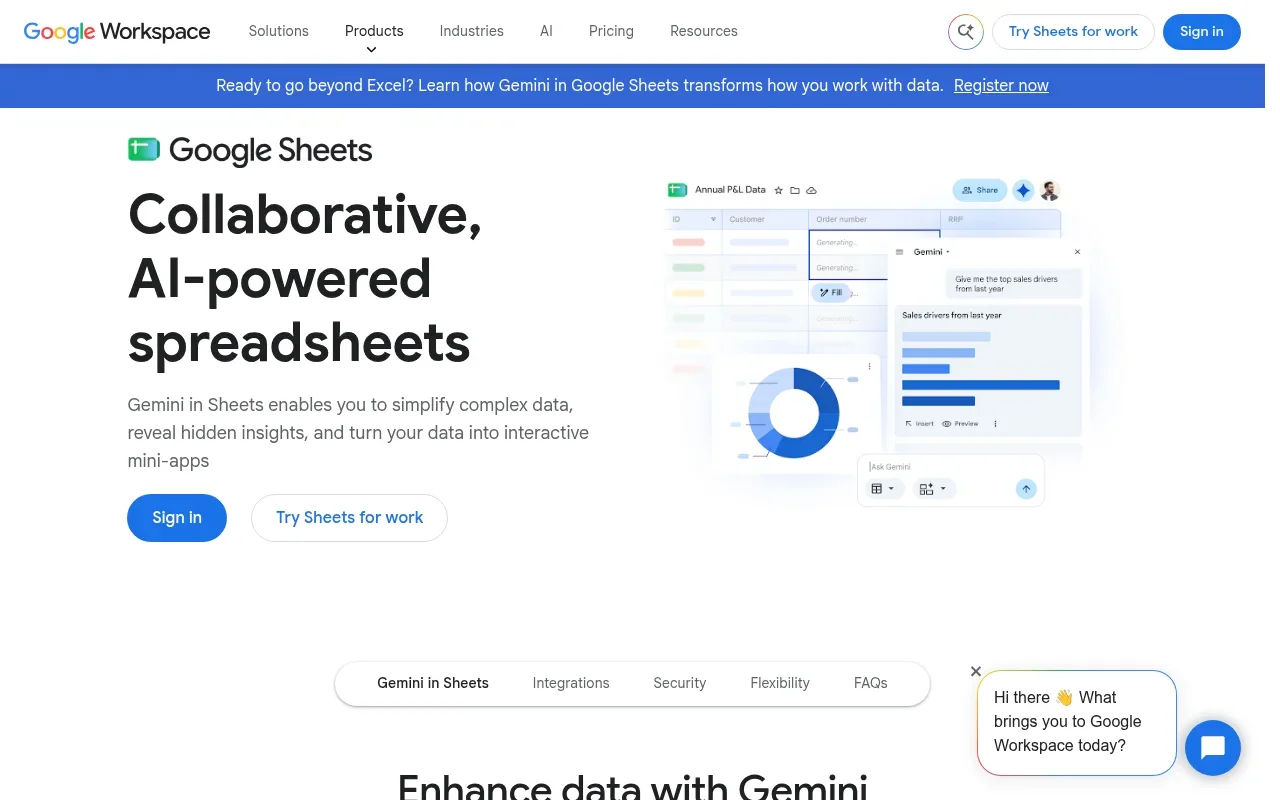
You can manage your campaign links entirely within a shared document. Google Sheets serves as a common foundation for this spreadsheet-led workflow. A well-structured sheet holds the approved source, medium, and campaign values alongside a manual link register. This document acts as the single source of truth for categorizing traffic across different platforms.
You can enforce basic data hygiene by configuring Google Sheets to create an in-cell dropdown list from a range of approved terms. When you set the validation rule to reject entries that do not match the allowed values, the spreadsheet blocks values outside the approved list, including mistyped terms. Because the dropdown reflects changes to its source range, update that range as campaign terms change. This gives you a straightforward way to apply naming conventions in a spreadsheet.
Operating from a spreadsheet introduces trade-offs regarding maintenance and scale. You have to create and maintain the link records manually, which often leads to duplicate, stale, or untested entries as the volume of campaigns grows. A spreadsheet is a static register, not an active redirect-click analytics tool, so you rely entirely on destination analytics to understand performance. The document cannot count clicks or verify that a link remains active.
If you choose this route, configure the register with practical columns that reflect your daily operations. Set up fields for the destination URL, individual UTM values, the final short URL, campaign name, specific placement, the link owner, and a checkbox for test status. A spreadsheet can remain the canonical rules reference even when actual link creation and click measurement move to a dedicated link platform. Maintaining the rules document ensures that anyone configuring the new platform understands exactly which terms the business considers valid.
Standalone UTM Builder Trade-Offs
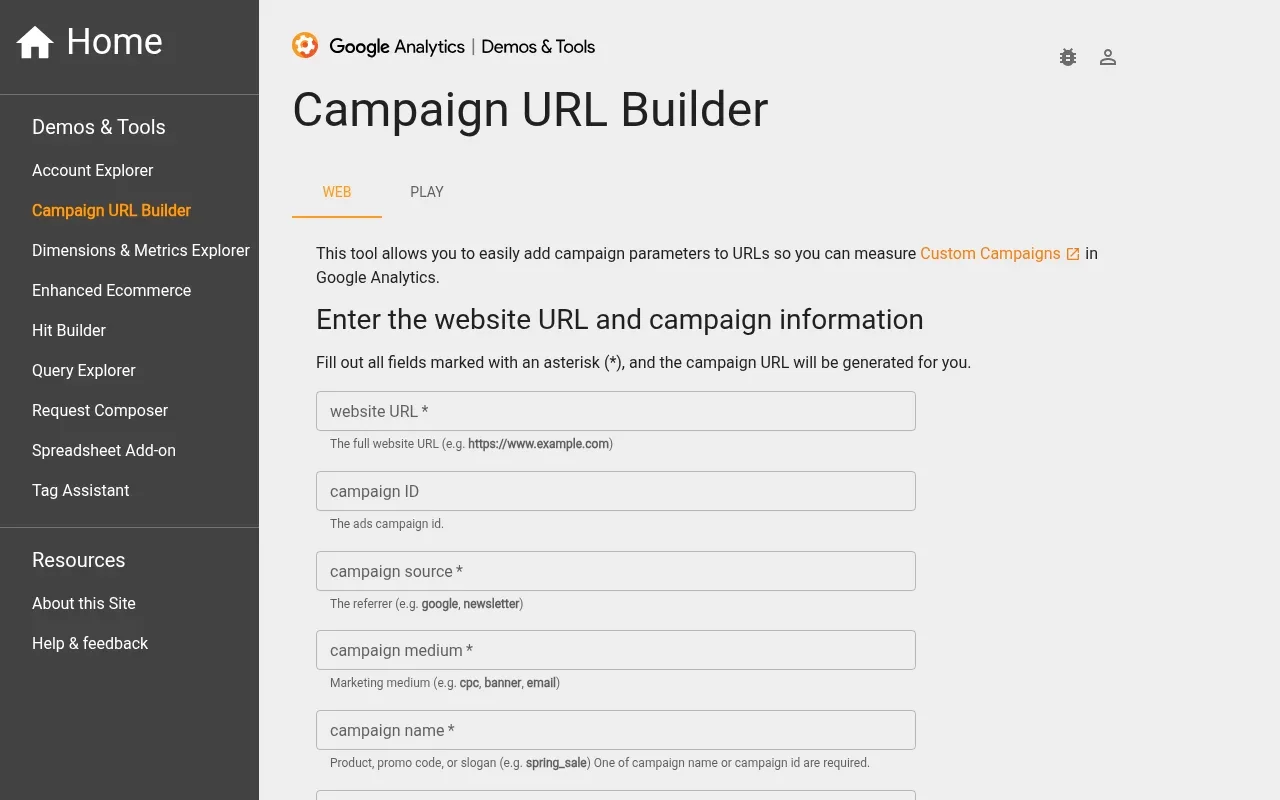
A URL builder handles the mechanical step of attaching parameters to a web address, and Google’s Campaign URL Builder guidance explains how to add campaign values to a destination URL and directs website advertisers to the builder to create tagged URLs.

This approach works well for one-off or infrequent link creation when the primary job is composing the URL without syntax errors. It removes the need to remember question marks, ampersands, and equals signs. You type the values, copy the result, and move on to the publishing step, knowing the query string structure complies with standard web protocols.
The limitations of a standalone builder center on persistence and measurement. Because a standalone builder handles URL composition rather than link operations, plan to maintain a separate register if you need to reuse links or measure redirect activity. A URL generator helps create the tags, while a separate link manager or spreadsheet can store link context and click data over time.
Maintaining Consistent UTM Values
Consistent reporting relies on disciplined data entry across your entire marketing organization. Google Analytics treats UTM values as case-sensitive, so if one person tags a link with Email and another uses email, reports can separate the traffic into distinct values, as its custom URL guidance explains. Establishing a compact naming policy prevents this fragmentation and keeps campaign data organized for accurate analysis.
Google Analytics’ guidance on campaign URLs defines the core parameters. The utm_source identifies the referrer or source sending the traffic, such as a specific publisher or newsletter. The utm_medium identifies the marketing medium, like email, social, or cost-per-click advertising. The utm_campaign identifies the specific initiative, product launch, or seasonal promotion. Defining exactly what these three fields mean for your organization is the first step in maintaining clean data and preventing overlapping categories.
Because Google’s custom URL guidance notes that UTM values are case-sensitive, formatting rules matter. Use lowercase values across all fields to avoid splits caused by capitalization. Choose a single separator, such as an underscore or a hyphen, and stick to it universally to avoid variations like spring_sale and spring-sale. Write down the definition for each field and make that reference available to anyone creating links.
Keep the campaign name identical across all placements for the same initiative, following Google’s recommendation to use one unique campaign name that matches the exact campaign name and prevents the same effort from splitting into multiple rows. If you need to distinguish between different creatives or links within that campaign, use utm_content, which Google’s parameter guidance describes as a way to differentiate creatives. For example, the guide says that two call-to-action links within the same email can use different utm_content values so you can tell which version is more effective. So keep the naming rules in a shared written policy so everyone creating links follows the same convention.
Building and Testing a Campaign Link
Moving from a naming policy to a functional, trackable link requires a structured workflow. Following a consistent sequence ensures that every shared URL carries the correct data, reaches the intended destination, and records the necessary measurement events.
- Write the naming convention. Define your acceptable parameters, choose your casing rules, and document your chosen separator in a central location.
- Draft tags with a builder or AI assistant. Use the destination, channel, placement, and campaign context to generate the initial values for the URL.
- Review the proposed values against the convention. Ensure the output matches your documented rules before finalizing the link creation process.
- Create the tagged destination and optional short link. Combine the URL and parameters, then generate the shortened version if using a management platform.
- Test the short link. Open the generated URL and confirm it reaches the correct page with the expected parameters visible in the address bar.
- Record the link and its context. Save the destination, UTM values, short URL, and owner in your spreadsheet or platform library for future reference.
Consider a Q4 newsletter promoting a product launch. The full tagged destination might look like this:
https://example.com/launch?utm_source=brand_newsletter&utm_medium=email&utm_campaign=2026_q4_product_launch
If you use an AI tool, you can structure a prompt to guide the output based on your specific requirements. You might ask the assistant: “Create a short link for our product-launch landing page, to be shared in the Q4 newsletter. Suggest source, medium, and campaign using our convention: lowercase; source identifies the sender; medium identifies the channel; campaign uses year, quarter, and initiative. Show the proposed values before creating the link.”
Trnqify’s AI UTM Assistant can interpret this description and suggest tags. You still need to review these suggestions against your written convention, because a suggestion is not automatic enforcement. Reviewing the suggestions before sharing helps catch fabricated values or formatting deviations before they enter campaign reports.

Once the link is live, you have to distinguish between redirect-time clicks and destination-site sessions. Trnqify says it tracks short-link clicks without cookies or tracking scripts on the links. The destination analytics tool records a visit only after the final page loads and its analytics setup captures it. These are different events measured at different points in the network request. A user might click the short link, triggering a redirect count, but close the browser before the destination page fully loads, resulting in zero recorded sessions. The counts may differ. Scope any cookie-free measurement claims strictly to the shared link’s redirect event; it does not replace destination analytics or establish that the destination site collects no data.
Selecting Your UTM Strategy
Evaluating your specific requirements allows you to map the right tool to your daily operations. A small team might only need a spreadsheet, while an agency automating campaign deployment requires robust API access.
| Capability | Google Sheets Workflow | Google Campaign URL Builder | Link-Management Platform (e.g., Trnqify) |
|---|---|---|---|
| Shared Rules | Supports in-cell dropdowns and data validation rules to restrict entries. | None. Relies entirely on manual user input. | Offers AI suggestions for tags; strict taxonomy enforcement requires verification. |
| Library and Reuse | Provides a manual, searchable register of past links. | Does not save or store generated URLs. | Organizes links; search and filtering capabilities require verification. |
| Analytics | None natively. Requires separate destination analytics platform. | None natively. Requires separate destination analytics platform. | Provides redirect-time click counts and optional geographic data based on plan tier. |
| Automation | Basic formulas; API access requires custom scripting. | None. Manual form entry only. | Standard and Pro list API and MCP access for programmatic workflows. |
| Best Fit | Teams needing a canonical rules document or low-volume tracking. | Individuals needing occasional, error-free URL composition. | Teams needing short links, click measurement, and programmatic creation. |
Start creating tracked campaign links with suggested tags — Trnqify combines UTM organization, short-link generation, and click analytics in a single interface. Try the Free plan to explore link creation and redirect tracking without a subscription, or review pricing for Standard and Pro tiers that include API, MCP access, custom slugs, webhooks, and city-level analytics.
Match the Tool to the Job
Your specific operational needs dictate which tool provides the most value for your organization. If you require shared rules, a reusable library, redirect analytics, and automation, shortlist a link-management platform. Assess Trnqify first for its combined approach to short-link creation, UTM organization, click reporting, and integration workflows. Before deploying it across a large team, compare its documented organizational controls with your internal governance requirements, as those features vary by platform.
Recommend a spreadsheet-led approach when documenting a taxonomy stands as the primary objective. A well-maintained sheet works as a central dictionary for allowed terms, even if the actual links are built elsewhere. Choose a standalone builder when the task involves occasional URL composition and you want to eliminate typing errors without managing a software subscription. Many organizations adopt a hybrid approach, maintaining their rules sheet as the definitive reference while executing link creation and click measurement within a dedicated platform. This hybrid strategy keeps the rules document as a reference while using platform analytics.
Verify Analytics and Automation Before Committing
Before finalizing your software selection, have your technical team check how click counts are defined and whether the API supports the intended AI-agent actions. Review access requirements for different user roles against the documentation, and confirm which subscription tier includes the technical capabilities you need. If your workflow depends on real-time event triggers, verify that webhooks are live on the chosen tier before building around them.
Teams managing paid media also have to navigate the intersection of manual tagging and platform-specific automation. When combining manual UTM parameters with auto-tagging in Google Ads, specific precedence rules govern which data appears in your reports. For this setup, Google says auto-tagged values take precedence for source, medium, and other traffic-classification dimensions. If the GCLID or DCLID cannot be used as intended and a UTM parameter is present, Analytics derives the traffic-source values from the UTM parameters instead. The guide also notes that missing UTM parameters can result in (not set) values in reports. So understand how your destination analytics platform handles these rules before combining manual parameters with auto-tagging, and do not generalize Google’s guidance to every advertising or analytics tool. Then test a few links before a major campaign launch.
Organizing campaign data starts with a clear naming strategy and ends with reliable measurement. Whether you rely on a spreadsheet to document your rules or an API to generate URLs programmatically, your chosen tool has to support your workflow rather than constrain it. Start turning plain-language descriptions into short links with suggested campaign tags at Trnqify, or reach out to support@trnqify.com if you need help verifying your technical requirements.
Frequently Asked Questions
What is UTM tracking software?
UTM tracking software helps marketers create, organize, and measure campaign links tagged with UTM (Urchin Tracking Module) parameters. These tools range from simple URL builders that attach tracking codes to full platforms that shorten links, count clicks, store link records, and integrate with other marketing systems.
What is the difference between UTM tracking software and a URL builder?
A standalone URL builder attaches parameters to a destination URL but does not store, track, or measure the result. UTM tracking software goes further by storing generated links in a library, counting redirect clicks, providing analytics dashboards, and often offering short-link generation, API access, or AI-assisted tag suggestions.
Do UTMs count clicks?
No. UTM parameters are text strings attached to a URL that tell destination analytics software where traffic came from. They do not record click events themselves. Measuring clicks requires a separate mechanism — typically a redirect service that sits between the initial click and the final page load.
Should I use a spreadsheet, a URL builder, or a link-management platform for UTMs?
Use a spreadsheet if you only need to document naming rules. Use a standalone URL builder for occasional, error-free tag composition. Use a link-management platform if you need to shorten links, count clicks, store a searchable library of past campaigns, and access programmatic tools like an API or MCP integration.
How do I maintain consistent UTM values across a team?
Write down rules for each parameter (which values are allowed, casing conventions, separator choices), create a shared reference document or spreadsheet with approved terms, enforce them through dropdowns or validation rules in your tool of choice, and make the written policy accessible to everyone who creates campaign links.