
How to Track SMS Campaigns: From Click to Conversion (2026 Guide)
Only 32% of SMS marketers can accurately measure campaign ROI from click to conversion. The reason? Tracking an SMS campaign requires connecting four disparate systems—and most guides skip the critical middle steps.
By the end of this guide, you’ll have a readable, UTM-tagged short link ready for your next text message campaign, plus a clear method for comparing delivery, clicks, website sessions, and conversions across those systems.
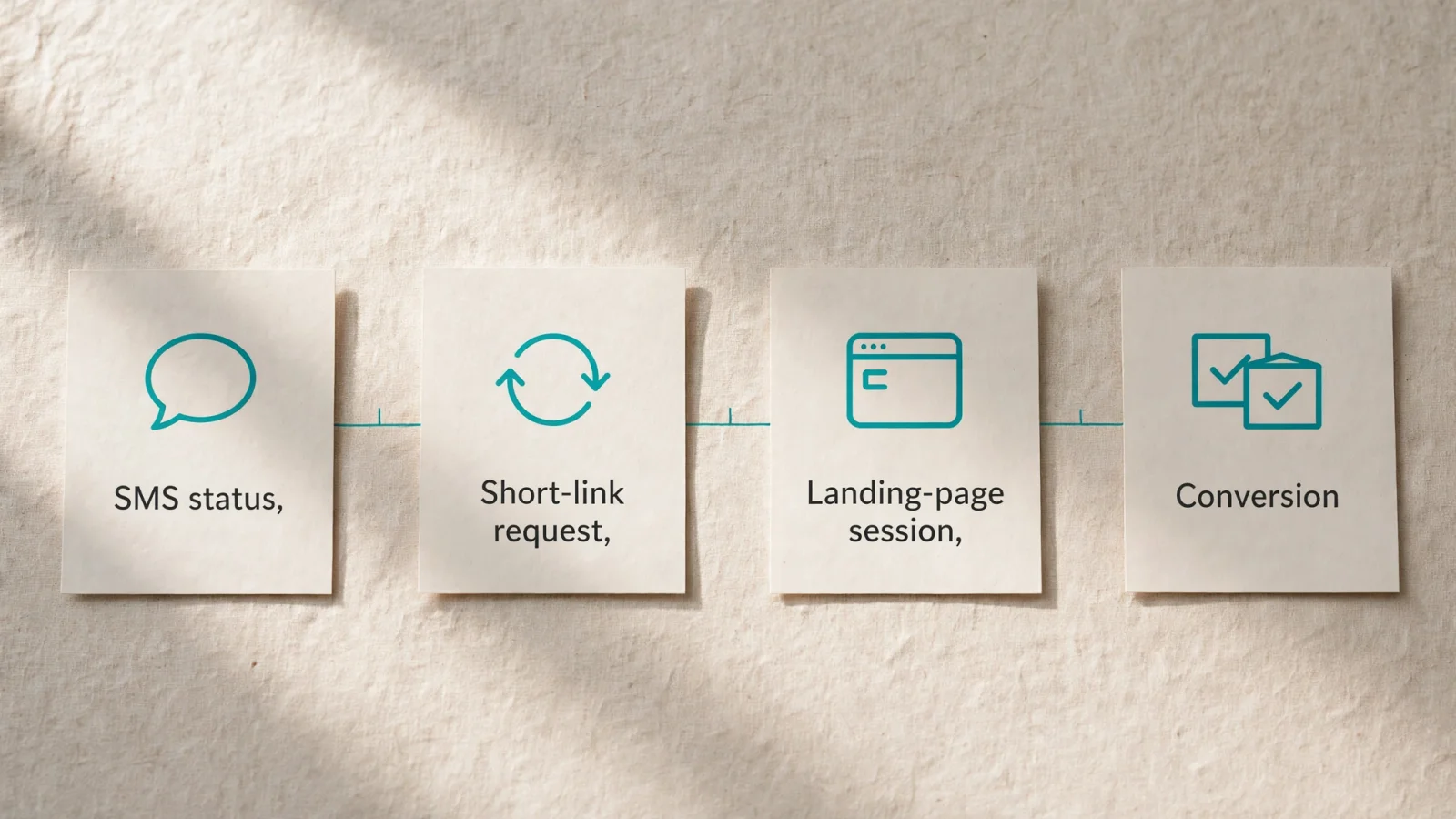
Measuring the Four Stages of an SMS Campaign
A short-link service records a network request generated by a text message and redirects that request to a tagged destination page, but this logged request alone does not prove that a person read the message, tapped the link, or bought a product. Understanding campaign performance requires mapping a four-stage path, as a different system records each event.
The first stage is the message status. When your marketing platform dispatches a campaign, it relies on carrier networks to handle routing. The Twilio Messages API documentation explains that a sent status means the nearest upstream carrier accepted the message, while a delivered status means Twilio received confirmation of delivery from the upstream carrier and, where available, the destination handset. Neither status confirms human attention, and a read status is available only for RCS and WhatsApp when the recipient has read receipts enabled.
The second stage is the short-link request. If the recipient accesses the link, their device makes an HTTP request to the shortening service. Trnqify acts as the link-creation and redirect-measurement layer at this point. The platform logs the request at the redirect level without placing cookies or tracking scripts on the shared link, and then it forwards the device to your final destination.
The third stage is the landing-page session. The user’s mobile browser receives the redirect, requests your website, loads the page HTML, and executes your analytics tags. Your web analytics platform records a session only after this sequence completes. The final stage is a conversion, which occurs when the visitor completes a predefined business action, triggering a separate event in your commerce or database system. Because a different technical threshold governs each stage, the total counts across your reporting tools will never match exactly.
Prerequisites for Tracking a Campaign
Before building the campaign link, define the exact final landing page URL, identify the business action you want to count as a success, such as a newsletter signup or a completed checkout, and document where that action is recorded.
Identify the system of record for each reporting stage. Your SMS gateway reports sent and delivered totals, your link manager counts redirect requests, your analytics platform handles website sessions, and your ecommerce platform logs the final sales. Small businesses can run into reporting problems when they expect one dashboard to accurately reflect all four metrics. Maintaining separate systems of record keeps your data clean and prevents double-counting.
Choose a shared campaign naming rule before generating any URLs. Consistent UTM parameters allow your analytics platform to group traffic from multiple texts under one unified campaign view. You also need to define a strict reporting window to bound your data collection. If your text message goes out on a Tuesday afternoon, decide whether you will measure clicks and conversions for 24 hours, three days, or a full week. Align the time zones across your SMS sender and your analytics software so you can compare these reports accurately.
Website analytics platforms often designate important actions as key events and assign conversion credit across various touchpoints. If a customer clicks an SMS link on Tuesday and returns via an organic search on Thursday to buy a product, the analytics model may assign credit to both touchpoints, though attributed credit is not absolute proof that the text message alone caused the conversion.
Building a Trackable SMS Link
Settle your destination URL and naming conventions first, add your parameters, and then shorten the long string into a readable format. A link shortener logs the redirect request, but the website analytics platform requires explicit tags to classify the resulting session.
Step 1: Set a Consistent UTM Convention
Campaign tags help Google Analytics identify which campaign referred a visitor. To keep those labels consistent, the Google Analytics URL builders documentation advises that parameter values are case-sensitive and recommends a uniform naming convention across marketing efforts. As a result, uppercase and lowercase tag values are treated as distinct and can split a campaign’s traffic across reporting rows.
Establish a lowercase standard for your text campaigns. Set utm_source to sms to label the origin network and utm_medium to sms to identify the marketing channel. Define utm_campaign using a descriptive, standardized format like november_menu_2026. You can also use utm_content to distinguish a specific message variation or creative format, such as weekly_offer_a versus weekly_offer_b, provided they point to the exact same destination page.
Step 2: Tag the Final Destination
Apply your chosen parameters directly to the final landing page URL. Do not attach UTMs to an intermediate link or an untagged URL that redirects elsewhere, because intermediate hops frequently strip tracking tags before the user reaches the final page.
If your base URL has no existing parameters, append the first UTM tag with a question mark and separate subsequent tags with an ampersand, so your constructed string looks like this:
https://shop.example.com/autumn-menu?utm_source=sms&utm_medium=sms&utm_campaign=november_menu_2026&utm_content=weekly_offerIf the destination URL already contains a question mark for site-specific functions, use an ampersand to add your campaign tracking parameters to the existing query string.
Optional: Use an AI Assistant to Draft the Parameters
Manual URL construction introduces spelling errors and inconsistent casing, which Trnqify solves by providing an in-app AI UTM Assistant that translates plain-language campaign descriptions into correctly formatted, lowercase tracking links. You can also integrate this capability into automated workflows using Model Context Protocol (MCP) or app-to-app (A2A) agent connections.
Supply the assistant with clear instructions to prevent hallucinated tags. A prompt could look like this: “Create a tracked SMS link for the November menu announcement. Destination: https://shop.example.com/autumn-menu. Use lowercase utm_source=sms, utm_medium=sms, utm_campaign=november_menu_2026, and utm_content=weekly_offer. Return the tagged destination and a readable short-link suggestion, and ask me before inventing any missing campaign details.” Review the generated URL to verify the spelling matches your established convention.
Step 3: Shorten and Test the Redirect
A full URL with four UTM parameters can take up much of the space available in a text message and look unwieldy, so route that long string through a custom short link. Using a free click analytics tool for short links allows you to present a clean URL while maintaining the tracking data.
Generate a short link like go.example.com/nov-menu, and test the full redirect chain by sending the text message to a test device. Tap the link on your phone and watch the address bar load. Verify that the mobile browser lands on the correct destination and that all four UTM parameters remain visible in the address bar after the page renders.
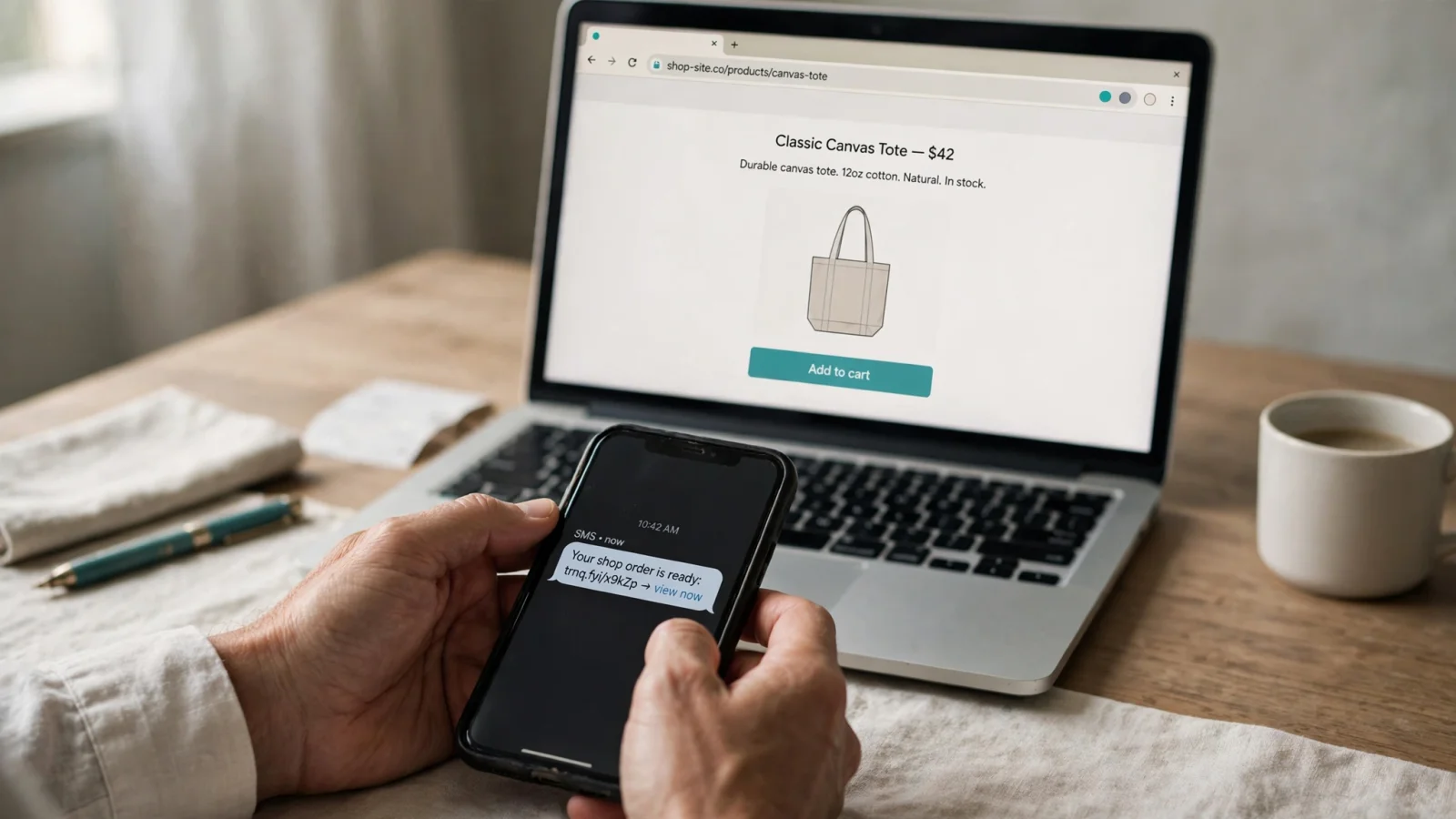
Comparing Each Measurement Stage
Evaluating campaign performance requires comparing the reports from your messaging provider, your link manager, and your website analytics software. Name your metrics explicitly when analyzing the data. Instead of loosely discussing “click-through rate,” specify the exact calculation, such as short-link requests divided by delivery-confirmed messages.
| Stage | Reporting System | What the Metric Establishes | What the Metric Cannot Establish |
|---|---|---|---|
| Sent / Delivered | SMS Provider | A status update confirming the nearest carrier accepted the payload, or a receipt confirming delivery to the handset. | Whether a human being read the text, tapped the link, visited the website, or completed a purchase. |
| Short-Link Request | Trnqify | A network request reached the shortening service, prompting the system to log the event and execute a redirect to the final URL. | Whether every request originated from a human tap, as opposed to a link preview bot or carrier security scan. |
| Landing-Page Session | Web Analytics | The destination website successfully loaded its analytics script in a browser and recorded a visitor session mapped to the UTM parameters. | Whether every redirect request translated into a logged session, as users can close the browser before the script fires. |
| Conversion | Commerce System | A specific business action, such as a checkout or form submission, was completed and logged in the database. | Whether the text message was the sole cause of the action, as attribution models distribute credit across multiple marketing touches. |
Compare metrics using the same campaign scope and reporting window. If your SMS platform counts total clicks while your analytics platform deduplicates sessions by user, the numbers will diverge. Trnqify measures clicks at the redirect level, offering a privacy-first record of how many times the short link was requested. Keep this redirect metric distinct from the downstream sessions recorded by your analytics tags, as understanding the features of an AI URL shortener helps clarify exactly when a click is logged during the handoff process.
Diagnosing Differences Between SMS Clicks and Website Sessions
Mismatched counts between link clicks and website sessions represent a standard technical reality rather than a definitive failure in your campaign. Treat the discrepancy as a troubleshooting exercise, as the gap usually stems from automated network behavior, stripped tracking parameters, or interrupted page loads.
On most iOS and Android devices, link-preview features programmatically access SMS URLs to retrieve an image for display in the messaging app, so these automated requests can occur before a recipient taps the link. Carriers and providers can also generate bot clicks while examining SMS message content for compliance. The Klaviyo documentation confirms that link previews and carrier or provider compliance checks can generate bot clicks, which can inflate reported SMS click counts. Klaviyo’s reporting features can exclude bot clicks, so filtered totals omit those automated interactions.
Dropped UTM parameters create another campaign-attribution problem. If a redirect strips URL parameters, the campaign tags are lost during the hop. The Google Analytics troubleshooting guidance explains that landing-page redirects can remove GCLID or UTM parameters and cause attribution issues. Although the guide discusses Google Ads, the same parameter loss applies to SMS links that use UTMs, leaving Analytics without those campaign tags for attribution.
Page load speed also heavily influences the click-to-session ratio. When a user taps a link on a cellular connection, the browser must resolve the short link, follow the redirect, download the target HTML, and execute the analytics JavaScript. If the site loads slowly and the user abandons the page halfway through the process, the link shortener correctly logs a redirect request while the analytics tool never receives the session ping. Test your mobile page speed to minimize this drop-off.
Final Checks Before Sending
Running a final verification sequence prevents untracked sends and broken links. Work through this exact progression before authorizing the campaign deployment:
- Test the short link on a physical mobile device using a cellular network rather than a desktop browser on Wi-Fi.
- Confirm the short URL looks readable and trustworthy within the plain text of the message.
- Check the final loaded URL on the mobile device to ensure the
utm_source,utm_medium,utm_campaign, andutm_contentparameters survived the redirect chain intact. - Verify the spelling and lowercase formatting of those parameters against your master campaign dictionary.
- Open your real-time website analytics dashboard and confirm the test click registered as a new session under the correct SMS campaign name.
- Complete a test conversion, such as a dummy purchase or form fill, and check that your commerce system recorded the event properly.
- Confirm your SMS provider, link manager, and analytics software are all set to the same time zone for the upcoming reporting window.
Save your documented UTM convention for the next campaign. Establishing a reliable process for tagging URLs, creating readable short links, and analyzing the resulting data layers allows you to assess your text messaging strategy accurately.
Key Takeaways
Accurate SMS tracking requires measuring four distinct stages: message delivery, short-link requests, website sessions, and conversions. Each stage uses a different system, so expect discrepancies—they’re normal.
The foundation of reliable SMS analytics is consistent UTM tagging applied to your final destination URL before shortening. Test your full redirect chain on a mobile device, verify parameters survive the hop, and establish the same reporting window across all platforms.
With this four-stage framework, you can diagnose attribution gaps, filter bot clicks, and calculate true SMS marketing ROI.
Ready to track every SMS click? Trnqify’s AI UTM Assistant eliminates tagging errors, tracks clicks without cookies, and integrates with your existing analytics. Start your free trial — no credit card required.
Frequently Asked Questions
Why are my SMS clicks higher than website sessions?
Link previews on iOS and Android, carrier compliance scans, and bot requests generate automated clicks that never reach your analytics platform. This gap is normal—use Trnqify's bot-filtering tools to exclude non-human traffic from your click counts.
What UTM parameters should I use for SMS campaigns?
Use utm_source=sms, utm_medium=sms, and a descriptive utm_campaign like november_promo_2026. Add utm_content to A/B-test different message copy. Always apply UTMs directly to your final destination URL, never to the short link.
How long should I track an SMS campaign?
Most businesses track for 3–7 days after send. Define your window upfront and align it across all platforms—SMS provider, link shortener, and analytics software. Use the same time zone on every dashboard to avoid date-range mismatches.
Can I track SMS ROI without cookies?
Yes. Trnqify tracks redirect clicks at the link level without placing cookies on your visitors' devices, then passes UTM parameters through to your analytics platform. Combine that with your conversion data to calculate true SMS ROI—no tracking scripts required on the short link. Create a free account at https://trnq.io/h7gqJLm.
What is SMS attribution and why does it matter?
SMS attribution determines which marketing touch gets credit for a conversion. A customer might click an SMS link on Tuesday, then return via organic search on Thursday to buy. Multi-touch attribution models split credit across both—understanding this helps you value SMS as part of the full journey, not just a direct-response channel. See our guide on click analytics without cookies for more.