
Linkly Alternative: Trnqify vs. Linkly
Searching for a Linkly alternative usually means you are outgrowing basic URL shortening and need more specialized campaign tools. Trnqify acts as a focused option for those who want to turn a plain-language campaign description into suggested UTM tags and measure clicks without tracking scripts. Linkly fits better if your strategy requires retargeting pixels, full API access on a free tier, or an immediate free custom domain. Both platforms handle link routing, but they part ways on how they build campaigns and track visitors. Evaluating your options means matching your daily workflow with the right infrastructure.
When you manage links across multiple channels, small operational differences compound quickly. A tool that halts redirection during a traffic spike presents a very different operational profile than one that serves an interstitial page or automatically charges an overage fee. Similarly, a platform that builds advertising audiences via browser scripts demands different compliance considerations than a service that counts clicks entirely on the server. Exploring an alternative is rarely only about shortening a long URL; it is about choosing how much friction you want in your campaign creation, how you treat visitor privacy, and how your team automates link generation at scale.
Trnqify vs. Linkly at a Glance
Comparing these platforms side by side highlights their different approaches to link management. The two services share common ground in basic redirection and link customization, yet diverge on parameter creation, data collection methods, and developer tiering. Review the distinct features below to match your workflow with the right infrastructure.
| Capability | Trnqify | Linkly |
|---|---|---|
| Campaign tagging | In-app AI UTM Assistant suggests parameters from a plain-language prompt. Available on all plans. | UTM Builder available on Starter and above. AI connectors exist, but prompt-to-UTM parity is unverified. |
| Click measurement | Clicks recorded at redirect time without cookies or tracking scripts on the shared link. | Free plan tracks country data. Starter plan adds device, browser, and OS analytics. |
| Retargeting | Pixel support is not established in the reviewed product materials. | Configurable tracking pixels fire from an intermediary redirect page on Pro and above. |
| API and automation | Standard and Pro include API access, ChatGPT/Claude apps, and AI agent connections via an MCP server. | Full API access included on every plan, including Free. Developers get up to 20 requests per second. |
| Domains and slugs | Uses trnq.io by default. Pro plan adds custom domains, custom slugs, and signed webhooks. | One custom domain included on Free. Paid plans increase the custom domain allowance. |
| Free plan limits | Unlimited links and clicks. Links display a marketing interstitial after 1,000 monthly clicks. | 100 links and 500 tracked clicks per month. Links pause entirely when the tracked-click quota is exceeded. |
The trade-offs captured in this matrix reflect two different product philosophies. Linkly operates as a traditional, feature-dense link management suite built around advertising workflows, pixel retargeting, and open developer access from day one. Trnqify narrows its scope toward modern campaign governance, using AI to suggest campaign parameters and server-side analytics to record clicks without tracking scripts on shared links.
Choosing between them involves weighing these structural priorities against your daily routines. If your marketing stack relies on dropping retargeting pixels to recapture visitors on social networks, Linkly provides dedicated infrastructure for that goal. If you want to eliminate messy spreadsheet formulas, stop tracking scripts from running on your vanity links, and generate links through natural language prompts inside tools like Claude or ChatGPT, Trnqify provides an environment tailored to those preferences.

Trnqify: Turn a Campaign Brief Into a Short Link
Managing inconsistent campaign data becomes difficult when UTM tagging requires manual coordination. Trnqify addresses this by moving the tagging process into a natural language interface. Instead of pasting long URLs into a spreadsheet and manually typing parameters, you describe the campaign intent and let the platform suggest structured tags.
This approach targets the administrative friction that plagues digital distribution. In many marketing teams, campaign tagging breaks down because team members copy and paste outdated links, make minor typos in campaign names, or use conflicting medium labels like “social-media” instead of “social.” Over months of promotion, these small discrepancies fragment your analytics reports, making historical comparisons painful. Trnqify replaces that manual assembly with a guided, conversational experience that bridges human ideas with structured database entries.
From a Plain-Language Brief to Suggested UTMs
A structured campaign begins with consistent parameters. When you capitalize sources differently or invent new mediums, analytics platforms can treat those values as distinct, fragmenting your reports. Trnqify includes an AI UTM Assistant on all plans to suggest parameters from a campaign description. You type a description of your marketing effort, and the system uses that text to suggest parameter values.
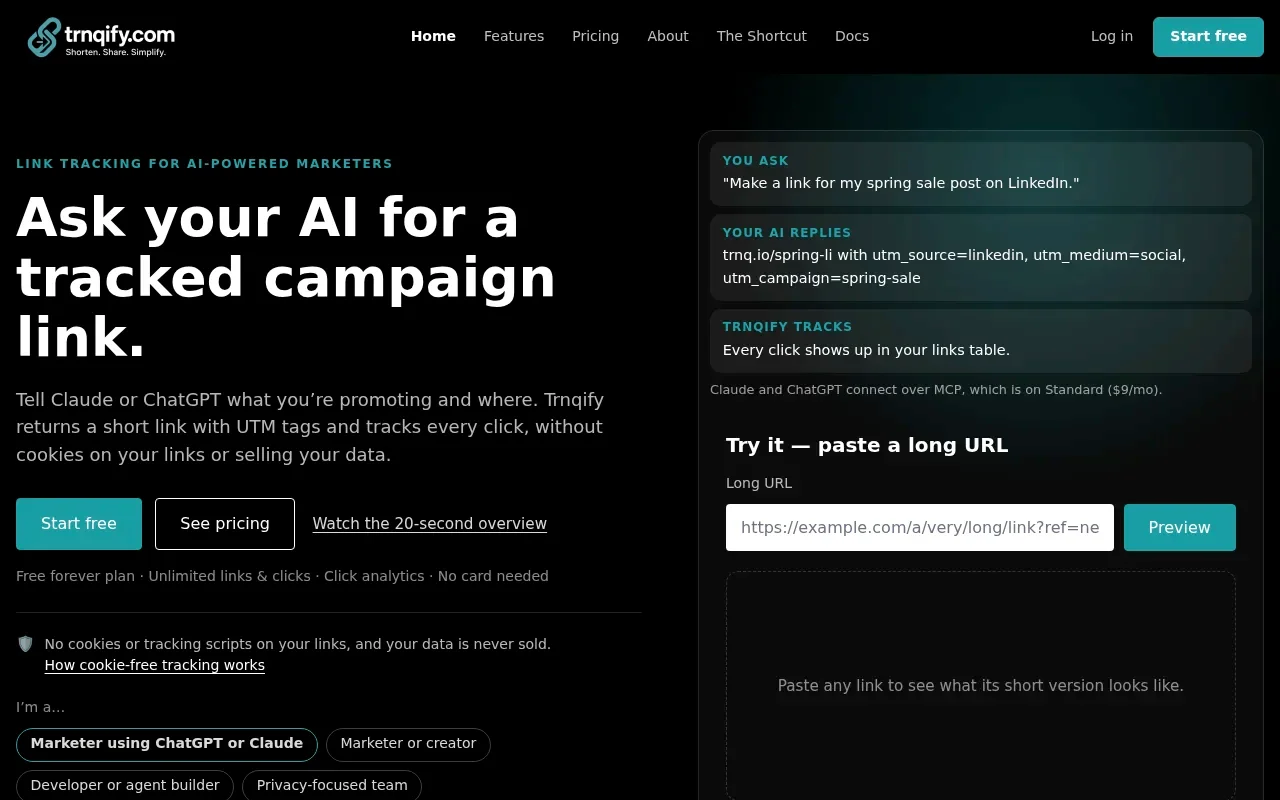
Telling the assistant about a spring promotion on LinkedIn targeting returning buyers prompts the system to process that context. It returns a set of structured suggestions, typically assigning utm_source=linkedin, utm_medium=social, and utm_campaign=spring-sale. This acts as a translator between human intent and machine-readable tags. You review these suggestions before finalizing the short link. The platform does not force you to accept incorrect tags, leaving you with complete control over the final structure. Once you approve the parameters, Trnqify generates a shareable trnq.io link ready for your social post or newsletter. When you manage multiple client domains, a structured environment prevents tagged campaigns from bleeding together. The AI assistant can suggest tags across different projects, reducing the need to consult a style guide for every link.
The practical value of this setup becomes clear during rushed campaign launches. When you need to ship a series of links across multiple promotional channels in a single morning, typing repetitive query strings into a spreadsheet often leads to errors. An extra space, an accidental uppercase letter, or an omitted parameter can invalidate your downstream attribution.
By having the assistant interpret your narrative prompt, you can reduce repetitive parameter entry, then review the suggestions before saving. If the assistant suggests utm_medium=cpc for a paid promotion, but you prefer utm_medium=paid-social to match your existing dashboard filters, you can adjust that specific parameter before saving. The platform adapts to your editorial decisions while handling the mechanical assembly of the query string behind the scenes.
This workflow also accommodates more detailed campaign briefs. If your prompt specifies a partner promotion running in an email newsletter with an exclusive discount code, the assistant parses those details to suggest relevant source, medium, and campaign values alongside optional content tags. You avoid the cognitive fatigue of constructing complex URLs, which lets you focus on publishing content rather than debugging link syntax.
What Cookie-Free Click Measurement Means
Click measurement often defaults to dropping tracking scripts on the user’s browser. Trnqify takes a different route by recording clicks at redirect time without cookies or tracking scripts on the shared links. The platform relies on the data naturally exchanged during an HTTP redirect rather than injecting third-party code. When a user clicks a trnq.io link, their browser sends a request to the routing server. That request includes basic connection data, such as the IP address and the user agent string identifying the browser and operating system. The platform logs this server-side event to update your analytics dashboard, then issues a redirect header pointing the browser to your final destination. Because this happens at the network layer, no tracking script executes on the user’s device, and no cross-session identity cookie is stored. Trnqify states that it does not sell user data.
A recent privacy guide outlines this server-side approach to click records. The resulting reports show how many times a link was clicked and which UTM parameters drove that traffic. You receive actionable campaign data by counting server requests rather than profiling individual users across the web. This mechanism provides valuable insight, though privacy obligations always depend on your applicable laws and setup rather than a blanket promise of compliance.
Operating at the server level also shields your click counts from browser-level script blocking. Modern web browsers and ad-blocking extensions regularly block third-party tracking scripts, which can lead to underreported traffic when using script-reliant analytics. Because a server-side redirect does not rely on client-side JavaScript execution, the redirect event registers reliably in your dashboard before sending the visitor onward.
At the same time, recognizing the technical limitations of server-side measurement helps keep your reporting grounded. Because Trnqify does not store cross-session cookies or fingerprint devices across multiple days, it does not track individual user paths across the broader web. You see aggregate click volumes, referring sources, and geographic distribution at the country or city level depending on your plan tier.
This gives you a clear picture of campaign traction without generating behavioral profiles on the people who engage with your content. If your organization operates under strict data minimization guidelines or prefers not to expose audience members to third-party ad network tags during redirection, this server-side architecture matches those goals.

Linkly: When Retargeting, a Free API, or a Custom Domain Matters
Some campaigns require tools built for advertising audiences or complex developer integrations. Linkly provides a strong feature set for teams prioritizing pixel retargeting, programmatic access without initial cost, or branded links on a zero-dollar budget. It operates as a distinct alternative designed around these specific technical requirements.
For organizations running multi-touch performance marketing, the redirect sequence represents prime real estate for data collection. Alongside routing traffic to a destination, Linkly equips links to serve as data collection nodes for advertising platforms. This design suits marketing teams whose primary objective is customer acquisition through paid social and display remarketing campaigns.
Linkly’s recent release notes say Free-plan users can connect a custom domain. If establishing brand identity on a small project is your primary concern, that inclusion removes a common barrier. The same notes confirm that its Claude integration is available on every plan and describe a ChatGPT app, but do not state whether ChatGPT access covers every plan or whether either integration offers a plain-language UTM suggestion workflow.
The custom domain inclusion on Linkly’s entry-level tier makes it especially appealing to bootstrapped creators and indie software developers. Launching a project under your own branded short domain instills immediate trust with your audience, and Linkly lets you achieve this without paying a monthly software subscription. You connect your domain via DNS records, configure your fallback rules, and start sharing branded links immediately.
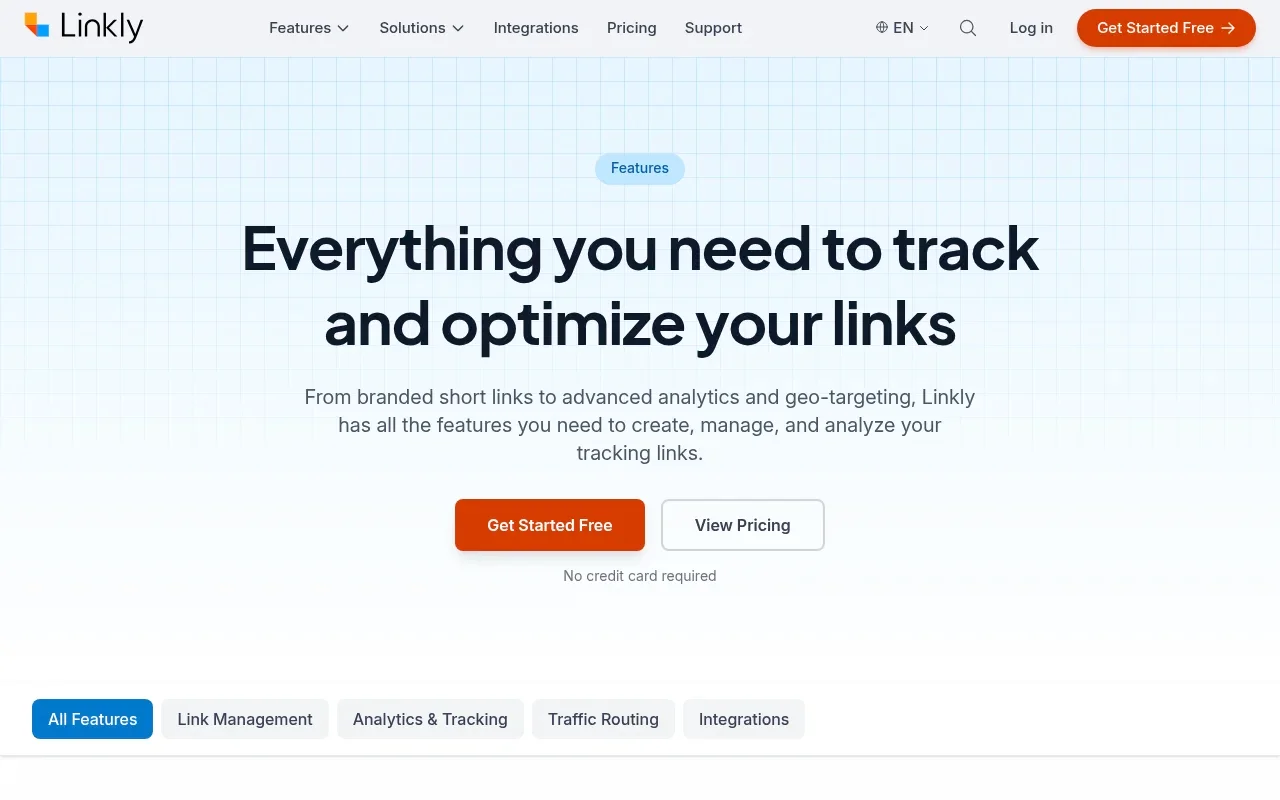
Developers evaluating Linkly will find full API access available on every plan, including Free. The documentation lists endpoints for link creation, link management, analytics export, and QR-code generation. You can also configure webhooks to fire when specific events occur. Having these programmatic tools available before paying a monthly fee makes the platform attractive for side projects or early-stage applications testing link automation.
Linkly backs this developer access with concrete throughput limits on its documentation page. The shortening API allows 20 requests per second by default, and teams with higher throughput requirements can request an increase to 200 requests per second. The bulk creation endpoint accepts up to 1,000 links in a single payload, which simplifies preparing large batches of tracking URLs for direct mail campaigns. For reporting automation, the Analytics API allows 200 queries per hour, giving your internal dashboards sufficient headroom to sync performance data without hitting rate limits.
Linkly’s audience-building feature uses retargeting pixels. Its feature documentation details configurable tracking pixels available on the Pro plan and above. The documentation says Linkly fires these pixels from its redirect page when someone clicks, allowing supported ad platforms to add that visitor to a retargeting audience. That lets marketers build audiences from clicks, rather than relying only on click counts.
By firing these pixels during the transition, you capture audience intent even when you link to third-party content that you do not own. If you share a curated industry article from an external news site on your social media channels, a standard redirect provides no advertising benefit beyond referral traffic. With Linkly’s retargeting pixels active, the intermediary page loads your tracking tag, allowing your advertising platforms to log that visitor into a custom audience before forwarding them to the external publication.
This enables you to show targeted display ads to those engaged readers later. The workflow requires accepting the intermediary page’s brief loading latency, but for performance advertisers reliant on paid remarketing pools, that trade-off represents a core tactical advantage.
Click Analytics and Pixel Retargeting Solve Different Problems
Marketing campaigns often blur the line between measuring clicks and tracking users. These two capabilities serve different strategic goals, require different technical mechanisms, and carry different privacy implications. Understanding the distinction helps clarify which platform aligns with your infrastructure.
Click measurement answers a direct question about volume, revealing how many visits a short link recorded over a specific period. Trnqify focuses entirely on this metric. By logging the redirect request at the server level, it counts the traffic and attributes it to the appended UTM parameters. This means you learn your spring sale email generated five hundred clicks on Tuesday morning, and you gather this intelligence without following those individuals across the internet. This approach relies on omitting cookies or tracking scripts on the shared links.
Because server-side counting evaluates the raw incoming HTTP request, it operates with minimal latency. The routing server receives the request, writes a record to the analytics database with the timestamp, referring site, and geographic location derived from the IP address, and immediately returns an HTTP 301 or 302 status code. The visitor is whisked directly to the destination URL. There is no intermediate HTML document to parse, no external JavaScript library to download, and no third-party network handshake to complete.
Pixel retargeting is intended to build advertising audiences from those link clicks. When Linkly fires a configured pixel from its redirect page on a Pro plan, it invites an advertising network to observe the interaction. The ad network reads its existing cookies on the user’s browser or drops new ones, tying the link click to a broader profile. You use this mechanism to show display ads to those exact users later on another website.
To execute this retargeting sequence, the technical mechanics must change. The shortener cannot issue an immediate HTTP 301 redirect header, because an immediate network redirect terminates the connection before any client-side JavaScript can execute. Instead, the server must deliver an actual HTML document containing the tracking snippet. The visitor’s browser parses this document, downloads the external tracking script from servers operated by Meta, Google, or LinkedIn, and executes the script to log the tracking event. Only after that script initializes does the page redirect the browser to the final destination via JavaScript or an HTML meta refresh tag.
Measuring volume and building audiences require different trade-offs. Server-side redirect logging happens almost instantaneously, routing the user to the destination with minimal friction. Firing a retargeting pixel requires the browser to load an intermediary page and execute third-party JavaScript, which can add latency before the redirect completes. If your primary goal is understanding what a redirect can tell you about campaign performance, server-side counting delivers the data. If you need to populate a Facebook Custom Audience from a shortened link, you need the intermediary pixel functionality. Evaluate your strategy to determine which mechanism your links require.
These mechanisms also introduce distinct user experience considerations. On slower mobile connections, the intermediate page required by retargeting pixels can introduce a perceptible pause before the user reaches the intended content. If a visitor runs strict browser protections, the pixel script may fail to load entirely, creating a broken redirect experience or delaying navigation unnecessarily.
Server-side click counting bypasses those client-side failure points by handling everything before the response leaves the routing server. Deciding between them comes down to whether your growth model depends on building paid remarketing lists or on delivering fast, direct redirects while preserving audience privacy.

How Do API Access, Automation, and Plans Compare?
Developer fit depends on the automation capabilities a tool provides and the hard limits attached to its pricing plans. Comparing API structures and monthly quotas reveals how each platform handles scale and programmatic control.
When evaluating developer infrastructure, looking past headline feature lists into practical operational constraints is essential. For programmatic link creation, rate limits, payload handling, authorization models, and plan-limit behavior matter alongside endpoint availability. Both platforms support automation, but they package their developer tools to serve different implementation models.
API and AI Automation
Building link creation into your applications requires reliable infrastructure and predictable rate limits. Linkly documents its API access across all tiers. According to its current developer documentation, the platform supports 20 shortening requests per second by default, with up to 200 per second available upon request. You can use bulk creation endpoints to generate up to 1,000 links per request, and the Analytics API allows 200 queries per hour for retrieving click data. These limits on a free tier give developers room to build and test integrations without initial overhead.
This standard REST architecture makes Linkly straightforward to integrate into existing backend workflows. If you maintain a continuous integration pipeline, an automated email dispatcher, or an enterprise CRM system that programmatically generates unique vanity links for customers, Linkly fits directly into those environments. You authenticate via an API key, construct your JSON payload with the destination URL and desired custom slug, and parse the structured response. Because Linkly supports bulk link generation up to 1,000 items per call, you can execute substantial campaign preparations with minimal HTTP overhead.
Trnqify reserves its API and automation tools for the Standard and Pro tiers, emphasizing AI integration through a Model Context Protocol (MCP) server. This infrastructure lets AI agents like Claude, Cursor, or ChatGPT interact directly with your link account. Instead of writing custom scripts to handle authentication and payload formatting, a developer can grant an AI agent OAuth access to their workspace. The agent can then generate tagged links or manage campaigns from a chat interface or code editor. You manage these connection tokens in a dedicated modal and can revoke access at any time.
This Model Context Protocol connection shifts how you interact with link infrastructure. Rather than writing integration code to stitch together URL parameters, you configure an AI coding assistant or desktop agent to manage links directly as part of an autonomous workflow. When drafting a product launch sequence inside an AI environment, the model can query your Trnqify workspace, determine the appropriate UTM parameters based on the copy it generated, call the link creation tool via MCP, and embed the finalized short link directly into the markdown draft.
When you need Bitly API alternatives, the choice centers on the style of integration. Traditional REST endpoints for high-volume bulk creation on a free plan make Linkly a strong option. If you are building workflows driven by large language models and want the AI to suggest tags and generate links autonomously, the paid MCP and A2A connections in Trnqify offer a specialized solution. Both platforms support webhooks for event-driven architectures, with Trnqify Pro allowing up to three configured endpoints for link creation, click milestones, and domain events.
The webhook implementation on Trnqify Pro provides verifiable security through cryptographic signatures. When an event fires, such as a link reaching a designated click threshold or a new custom domain finishing DNS verification, the platform sends a signed payload to your destination server. This allows your backend to verify that incoming webhook notifications originated from Trnqify rather than an unauthorized third party, protecting internal automation pipelines from spoofing attempts.
Pricing, Limits, and Domains
Knowing what happens when you hit a monthly quota helps maintain campaign stability. The two platforms handle overages differently, which impacts how you structure your budget.
Linkly offers a Free plan at $0 that includes one custom domain, full API access, and country-level analytics. The limits are 100 links and 500 tracked clicks per month. The official pricing page says Free links pause when the tracked-click quota is reached, so a campaign that exceeds it leaves those links paused until the next billing-period reset. Linkly Starter costs $15 per month billed annually, expanding capacity to 250 links and 2,000 clicks. The Pro plan costs $32 per month billed annually for 1,000 links, 10,000 clicks, and three custom domains. On paid plans, links continue redirecting past the limit, and click add-ons are purchased automatically.
This automated overage handling on Linkly paid tiers protects campaigns from abrupt downtime. If a social post goes viral and consumes your monthly 10,000-click allocation on the Pro plan within hours, your links continue redirecting without interruption. The platform bills your account for the necessary click add-on packages automatically, ensuring that incoming traffic reaches your landing pages. This structure prevents broken links during critical sales events, though it requires keeping an eye on billing statements when traffic surges unexpectedly.
Trnqify approaches its Free plan with different constraints. The homepage lists unlimited links and clicks on the free tier, providing basic seven-day analytics and the AI UTM Assistant. Rather than pausing your links at a specific cap, the platform displays a marketing interstitial to visitors after your account exceeds 1,000 clicks in a month. The link still functions, but the user experience changes.
This interstitial behavior presents a distinct operational trade-off. For casual users, internal documentation, or community projects where budget predictability is paramount, the fact that links never hard-fail or incur surprise credit card charges provides peace of mind. Visitors still reach their destination after viewing a brief interstitial screen. However, for commercial marketing campaigns or paid client work, an interstitial screen can reduce conversion rates and disrupt user trust, making an upgrade essential before scaling traffic.
To remove the interstitial and secure direct redirects, you upgrade. The Standard plan at $9 per month covers 25,000 clicks, extends analytics to 30 days with country and device breakdowns, and unlocks the API and MCP access. A pricing guide lists the Pro plan at $29 per month, adding custom domains, custom slugs, signed webhooks, and city-level analytics maps. Verify current pricing on the live site before committing, especially for Pro features. Understanding these boundaries ensures your short link migration proceeds smoothly without unexpected downtime or forced interstitials during a major launch.
Custom domain rules also affect plan selection. Linkly includes a single custom domain on its zero-dollar tier, which lets you point your own branded short domain like go.yourbrand.com directly to the service without spending money. Trnqify routes all Free and Standard links through its standard trnq.io domain, reserving custom domain mapping and custom slug creation for its Pro plan. If branded vanity URLs are an absolute requirement from day one on a zero-dollar budget, Linkly fits that specific parameter directly. If you prioritize higher click allowances, AI parameter tagging, and direct agent integrations, Trnqify provides higher click headroom on its entry-level paid plan.
Which Linkly Alternative Fits Your Workflow?
Selecting the right link management platform requires matching your technical requirements against the capabilities of each service. Neither tool is a universal replacement for the other.
Every marketing organization operates with distinct technical constraints, compliance boundaries, and performance expectations. A software startup running paid search ads across twenty regional markets has fundamentally different tooling needs than an editorial publication distributing curated email digests. By analyzing your daily operational patterns, you can identify which platform complements your growth strategy without adding unnecessary complexity.
Choose Trnqify when you value plain-language UTM suggestions and need to measure clicks without cookies or tracking scripts on your shared links. It serves those who want AI assistance structuring campaign parameters and prefer server-side redirect logging over pixel-based tracking. The unlimited link and click allowances on the Free plan provide significant volume, provided a marketing interstitial after 1,000 clicks is acceptable for your use case. Upgrading to Standard secures direct redirects and unlocks the MCP server for AI agent integrations, making it a strong fit for teams building model-driven workflows.
This setup can help contributors follow campaign conventions. When team members use an AI assistant to get UTM suggestions, they can review them against campaign conventions before publishing, which may support more consistent tagging across channels. You can reduce reliance on spreadsheet-based link assembly and review tags before publishing, helping your web reporting tools receive more consistent attribution data.
Furthermore, if your audience is sensitive to digital privacy, or if your legal advisors encourage data minimization practices, Trnqify’s server-side redirect logging allows you to measure link engagement accurately without deploying third-party cookies or intrusive tracking scripts.
Choose Linkly when pixel retargeting, a free API, or a free custom domain are hard requirements. If your advertising strategy depends on building audiences from link clicks, the configurable intermediary pages on the Pro plan provide that function. Developers who need traditional REST endpoints and bulk creation capabilities without paying a monthly fee will find the rate limits on the free tier accommodating. Monitoring your traffic remains important, as reaching the 500-click limit on a free account will pause your links.
Linkly also stands out when you run multi-platform paid media campaigns that rely on third-party remarketing pools. If you regularly share links to earned media, partner websites, or external landing pages that you do not control, Linkly’s intermediary redirect pages allow you to load your Facebook, Google, or LinkedIn tracking pixels during the routing process.
This turns every outbound link into an audience generation opportunity for your paid acquisition team. Programmers building standalone utilities or prototyping automated social sharing bots will also appreciate Linkly’s unrestricted free API access, which lets you test link generation pipelines without committing to an upfront software subscription.
Before switching infrastructure, map out your upcoming campaigns. Check your monthly click volume against the published limits, confirm whether your ad networks require intermediary pixels, and verify current pricing tiers. If you have questions about specific integration requirements or account transitions, reaching out to support@trnqify.com can help clarify plan capabilities before you begin changing your links.
Turn your campaign briefs into structured, measurable links. Explore Trnqify and see how AI-assisted UTM tagging and privacy-conscious analytics streamline your marketing workflow.
Frequently Asked Questions
Does Linkly charge for API access?
Linkly includes full API access on every plan, including the Free tier. The documentation outlines rate limits of 20 requests per second and allows bulk creation and analytics queries without requiring a paid subscription. This makes the platform accessible for early-stage development, side projects, or internal tools that need programmatic URL shortening on a zero-dollar budget. If your volume requirements expand, you can request an increase up to 200 requests per second, or upgrade to paid tiers for larger link and click allocations.
Can I run retargeting pixels on Trnqify links?
Retargeting pixel support is not established in the reviewed Trnqify feature materials. The platform focuses on server-side click records at redirect time rather than loading intermediary pages to fire third-party advertising scripts. If your core marketing strategy requires firing Meta Pixel, Google Tag, or LinkedIn Insight tags from your shortened links to build remarketing audiences, Linkly Pro provides documented intermediary page infrastructure for that workflow.
Does cookie-free tracking mean my links are legally compliant?
Cookie-free measurement removes cross-session identity tracking from the shared link, but it is not a blanket guarantee of legal compliance. Privacy obligations always depend on your applicable local laws, how you configure your destination pages, and your overall data setup. While server-side redirect counting avoids placing tracking scripts or persistent identifiers on the visitor's device, your final destination websites may still use analytics cookies or marketing pixels that require user consent notices. Always review your complete data collection practices against regional privacy regulations like GDPR or CCPA.
What happens when I exceed the click limit on Linkly's Free plan?
When an account on Linkly's Free plan exceeds its monthly quota of 500 tracked clicks, the platform pauses those links entirely. Visitors who click your shortened URLs will encounter an error or paused status page rather than being forwarded to your destination URL. This makes tracking your monthly volume essential if you rely on the Free tier for public campaigns. On Linkly's paid plans, links continue to redirect normally past the plan limits, and click add-ons are purchased automatically to cover the additional traffic.
How does Trnqify handle traffic surges on its Free plan?
Trnqify offers unlimited links and click tracking on its Free plan, but it modifies the user experience once an account records more than 1,000 clicks in a calendar month. Instead of pausing the link or dropping the visitor, the platform presents a brief marketing interstitial page before completing the redirect to the target destination. This ensures that your links never break or fail to resolve during an unexpected traffic spike. To remove the interstitial page and ensure immediate, direct redirects for all visitors, you can upgrade to the Standard plan at $9 per month.