
Link Management for Agencies: Separate Clients, Domains, Reports
A client hands over a plain-language brief for a holiday promotion spanning paid social media channels and an email newsletter. Translating that brief into approved UTM tags, creating the corresponding short URLs, and monitoring the redirect traffic ensure the campaign works as intended. Handling link management for agencies means answering a dozen administrative questions before generating a single working link. You will decide who logs into the platform, who controls the underlying domain name, how campaign variables are standardized, and which data the client ultimately views when the month ends.
Link management tools handle the technical routing, but your workflow handles the access boundaries. Trnqify acts as a practical bridge between these requirements, turning a plain-language prompt into a consistently tagged short link and measuring clicks at redirect time without cookies. Software generates the URLs and records the traffic, while the agency defines the ownership rules. Choosing a lightweight setup requires planning those boundaries first, preventing a tangled web of shared logins and mixed campaign data when a client ends their contract.
Marketing agencies often inherit chaotic spreadsheets containing hundreds of mismatched links generated by different account managers across several years. One manager might prefer hyphens in campaign tags while another uses underscores, and an intern might copy an internal staging URL instead of the live destination. When those unvetted links hit social platforms or paid search campaigns, fixing them requires editing live ad sets or watching campaign reporting splinter into useless, disconnected rows. Establishing clear link management processes early shields your agency from these unforced administrative errors and protects client attribution from day one.
Beyond preventing manual errors, a deliberate link workflow clarifies accountability across every stage of a media rollout. Account directors know who holds the master credentials, strategists know exactly how to format tracking parameters, and clients receive reporting that reflects actual visitor interest rather than inflated or misattributed numbers. Taking the time to structure links systematically turns what is often treated as an administrative afterthought into a dependable operational asset.
Separating Workflows Before Managing Client Links

Link management platforms often place dozens of client campaigns into a single unorganized dashboard. Organizing the agency workflow into four independent lanes prevents this clutter before you evaluate any software. First, define account access and editing permissions. Second, establish who registers and controls the short-link domain. Third, standardize UTM naming conventions. Finally, isolate the reporting outputs so clients view only their own performance metrics.
UTMs organize attribution data by attaching source and medium context to a click, so the destination analytics platform identifies where the visitor originated. These tags cannot prevent an unauthorized user from viewing another client’s performance metrics in a shared link-management dashboard. Conflating attribution tags with operational security remains a frequent misstep for growing teams. When an agency relies on a query string parameter to segment internal records, it risks exposing commercial campaign volumes to external contractors or client stakeholders who should only view their own brand assets.
Branded domains provide a recognizable prefix for the short link, which builds trust with the person clicking it. A custom domain affects the visual presentation of the URL and determines where the DNS records live, but it does not partition the back-end analytics database. If you put two clients on two separate custom domains within one flat agency workspace, any user with workspace access can review the traffic data for both domains. A branded domain acts as a public-facing signpost, while workspace architecture determines administrative data governance.
Keep these concepts distinct as you design the agency workflow. Attempting to use a domain name to solve an account access problem, or applying a UTM tag to fix a reporting issue, creates operational friction later. Each decision operates at a different layer of your infrastructure, requiring separate documentation and deliberate maintenance.
When agencies treat these four areas as interchangeable, handoffs between internal teams stall. Media buyers spend valuable hours untangling permissions, or account managers inadvertently deliver reports that combine data from competing brands. By separating the account credentials from the domain registry, keeping campaign taxonomies in their own lane, and treating click exports as distinct from destination session metrics, your team can scale its client roster without rebuilding its foundational systems every quarter.
Scoping Client Access and Analytics Permissions
Sharing a single agency login credential across multiple client projects creates a security liability. When an employee leaves the agency or a client transitions to a new firm, unpicking that shared access requires auditing dozens of separate platform connections. If password resets occur in response to staff turnover, active integrations may break, disrupting scheduled client reporting or halting automated campaign links.
Start by defining who owns the short-link account, who receives permission to change destination URLs, and who views the resulting click data. Destination analytics platforms manage access using a different hierarchy. Google Analytics, for example, grants access at either the account or the property level. A user with property-level access remains limited to that specific property, whereas account-level access grants visibility across every property contained within that account. This structure supports a clean agency model.
Because an account-level invitation allows a user to inspect every property nested under that master umbrella, granting account access to an external stakeholder or junior contractor can expose unrelated client properties. Setting permissions strictly at the property level keeps client teams focused entirely on their dedicated website environments. This containment prevents accidental configuration changes to shared filters or global attribution settings, ensuring that one client cannot inadvertently view or modify the tracking parameters of another.
Configure client-specific properties and apply appropriately scoped agency access rather than sharing a primary administrative credential. If the client owns the top-level account and grants the agency property-level access, the agency can review the data without controlling the client’s historical records. This separation protects both organizations by establishing a clear chain of custody over measurement records and billing obligations.
Documenting these access boundaries in a client link register creates a central source of truth for every campaign. A complete register contains the account owner, the generated short link, the final destination URL, the branded domain, the applied UTM values, and the analytics property receiving the traffic, serving as a definitive map of how data moves from a click to a report.
Maintaining this register prevents team confusion when campaigns scale. When a media planner updates a seasonal landing page, recording the destination change in the register ensures that the analytics specialist can verify parameter integrity without guessing which tracking variant went live. The register also acts as an offboarding document, allowing the agency to verify that all delegated credentials and property-level permissions have been revoked when a contract ends.
Do not attempt to enforce security by inventing obscure UTM campaign names or burying client codes in the medium field, because anyone with access to the analytics view can read the tags. If a link management tool lacks documented client roles or isolated reporting views, test its sharing capabilities before onboarding multiple businesses into a single workspace. You may need to create entirely separate accounts for each client to maintain strict data separation and avoid exposing sensitive traffic volume data to competing brands.
Operating separate accounts requires slightly more setup time during client onboarding, but it eliminates the risk of cross-client data contamination. It also ensures that when a client requests an export of their complete historical tracking data, the agency can provide the archive without spending days scrubbing out records belonging to other accounts.
Managing Branded Short-Link Domain Ownership

The domain name attached to a short link dictates what the customer sees in their browser bar and who controls the routing infrastructure. Agencies generally choose between three models for client campaigns, balancing deployment speed against long-term brand ownership.
| Domain Option | Best Fit For | Agency Trade-Off |
|---|---|---|
Service domain (trnq.io) | Quick setup without configuring a client’s DNS records, ideal for rapid testing, seasonal promotions, or short turnaround social distributions. | The link uses the service’s domain rather than the client’s brand, offering lower brand continuity across customer touchpoints. |
| Client-controlled custom domain | Brand continuity and a clean handoff if the client leaves, suited for core evergreen marketing assets and corporate link campaigns. | The client must retain registrar control and handle renewals, while the agency relies on delegated DNS access to configure routing. |
| Agency-controlled custom domain | Centralized agency operations across multiple small campaigns where clients lack the technical personnel to manage domain records. | Creates a hard dependency; the client loses the links if they change agencies, requiring complex ownership transfers to preserve live assets. |
A service domain requires no DNS configuration. You create an account, paste a destination, and receive a working short link right away. This speed fits temporary campaigns where the client prioritizes rapid deployment over maintaining strict brand consistency in the URL string. For flash sales, quick event promotions, or influencer campaigns with tight deadlines, generating a short link on trnq.io eliminates technical bottlenecks and removes the wait for client IT approvals.
A client-controlled custom domain provides a professional presentation. Trnqify supports custom domains on its Pro plan, allowing a short link to reflect the client’s primary brand identity. The client retains full administrative control of the domain registrar account and delegates DNS access to the agency to configure the necessary A or CNAME records. ICANN policies state that a third party may be listed as the registrant if it registered the domain using its own details, which complicates ownership if an agency registers the domain on the client’s behalf using a corporate credit card. Direct client registration prevents these transfer disputes.
When a client holds the registrant account, their legal ownership of the branded web asset remains clear throughout the engagement. The agency handles the technical task of pointing the host records to the routing server, but the client retains the billing authority and renewal responsibility. If the business relationship concludes, the client keeps the domain, points the DNS records to another routing service if desired, and retains the equity of their published links without requiring legal negotiations or registrar account handovers.
An agency-controlled domain streamlines operations by keeping all DNS management under one roof, but it creates a difficult exit scenario. Use this option only with a documented ownership, renewal, and transfer plan. If an agency purchases a vanity domain on behalf of a client and routes multiple client campaigns through shared domain routing rules, separating those assets later becomes an operational headache. The client cannot easily assume control of the domain without the agency surrendering its registrar account or executing a formal transfer, which can leave live marketing materials pointing to dead destinations if renewals lapse during the transition.
Keep campaign short links separate from SEO site-migration redirects, because Google Search interprets permanent redirects, such as a 301 or 308, differently from temporary redirects. For a page URL that needs to change in search results, Google recommends a permanent server-side redirect whenever possible.
Search engines treat permanent redirects as a signal to transfer canonical ranking signals, indexing authority, and historical search equity from an old URL structure to a new destination. In contrast, marketing short links serve dynamic distribution channels like social media posts, printed promotional collateral, and pay-per-click ad groups. These campaign redirects focus on measuring user interactions at the edge rather than establishing permanent indexing rules in search engine databases. Using a short-link platform to manage permanent website infrastructure creates routing latency and risks polluting search indexes with transient campaign parameters.
Standardizing UTM Naming Conventions
Without a strict naming convention, campaign reports fragment into dozens of unreadable rows as different team members capitalize words differently or use competing abbreviations. Defining a shared rule for the source, medium, and campaign fields across the entire agency keeps data clean.
Consider a practical tracking setup for a winter promotion: https://acme.example/holiday?utm_source=instagram&utm_medium=paid_social&utm_campaign=acme_holiday_launch. The agency shortens this long destination to a clean URL like trnq.io/holiday-launch.
The utm_source parameter identifies the platform delivering the traffic, such as Instagram, while the utm_medium indicates the channel category like paid social. Adding a utm_campaign parameter captures the specific marketing initiative. You can also use the utm_content field to distinguish individual creative assets, which allows you to test a video ad against a static image while keeping the rest of the tracking parameters identical. The optional utm_term parameter remains available for paid search keywords, though agencies running multi-channel campaigns typically reserve it for specific audience identifiers or ad-group targets.
Google Analytics states that campaign values are case-sensitive An ad tagged with Email is treated as a different value from one tagged with email, so use lowercase consistently across agency links to prevent capitalization differences from fragmenting reporting.
When different team members apply mixed casing across multiple campaigns, analytics platforms treat each variant as a completely unique marketing channel. A simple difference between Facebook, facebook, and fb splits social acquisition metrics into three distinct buckets in standard reporting tables. Analysts must then spend hours building custom regex filters or combining spreadsheet exports to produce a coherent summary for the client. Standardizing on lowercase syntax eliminates this friction at the point of link generation.
Including a short client code in the campaign value helps agencies filter a massive spreadsheet when reviewing aggregated data. However, this remains an agency naming convention, not a substitute for client-level account permissions. Keep that client code confined to the campaign string. Do not put client identifiers in the source or medium fields, because altering those fields breaks the standard channel-level attribution reporting that analytics platforms rely on.
Analytics suites use standardized medium values like cpc, organic, email, and referral to assign incoming traffic to default channel groupings. If an agency inserts a client name into the medium parameter, such as acme_paid_social, the analytics engine may fail to recognize the traffic as paid social and instead classify it as unassigned or other. Confining client identifiers strictly to the campaign name ensures that platform-level acquisition channels remain intact while allowing your internal team to filter by client across agency-wide spreadsheets.
Because Google explicitly warns against sending personally identifiable information keep email addresses, personal mobile numbers, and names out of the five UTM fields it identifies: utm_source, utm_medium, utm_term, utm_campaign, and utm_content.
Agencies frequently run into compliance trouble when dynamic email marketing systems append recipient addresses directly into URL parameters. If an automated email workflow dynamically injects an individual subscriber’s email address into utm_content or utm_term, those personal details flow directly into web analytics databases. This exposure violates platform terms of service and can lead to the permanent termination of the client’s analytics property. Campaign links should capture macro-level audience segments, ad creative variations, or placement groups, never individual identities.
Reconciling Short-Link Clicks With Site Analytics
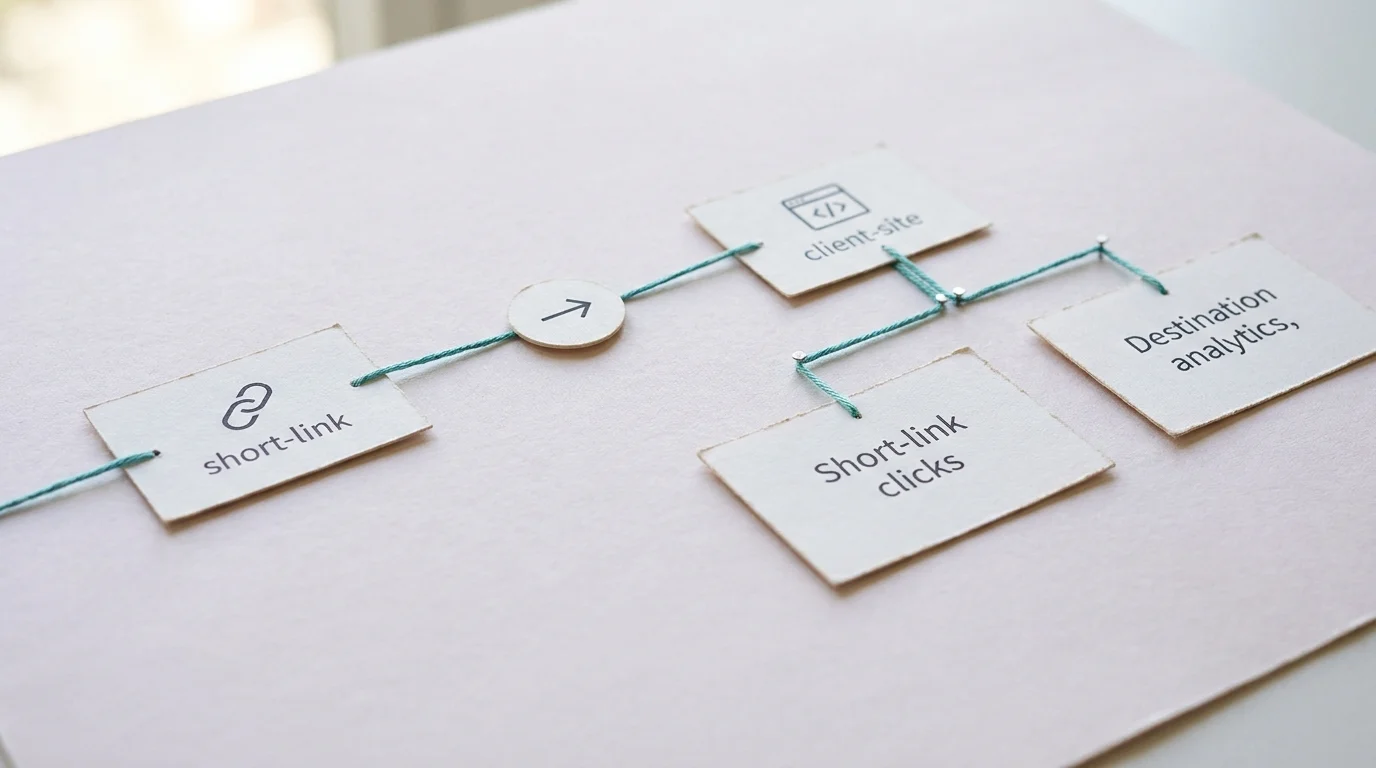
A client will likely ask why the link-management dashboard shows one thousand clicks while their website analytics platform reports eight hundred sessions. Explaining the mechanical difference between these two distinct measurement points before the campaign launches sets the right expectations.
A short link report records redirect requests. When a user taps the URL on their phone, their browser asks the routing server where to go, prompting the link platform to log that initial request. The server issues the HTTP redirect header and sends the user toward the final destination, counting the tap the moment it happens. This measurement captures the raw volume of user interest generated by an ad or social post at the exact instant of distribution.
Destination analytics measure page loads and site outcomes. For a session to register, the user’s browser must arrive at the destination, download the HTML, execute the JavaScript tracking snippet, and successfully report the event back to the analytics server.
These counts rarely match because they measure different parts of the network journey. Users tap a link and close the tab before the destination page can load, or network connections drop while routing the request. Privacy extensions and ad blockers also prevent the destination tracking script from firing. In mobile environments where users open links within in-app web views, aggressive resource conservation can suspend script execution before the tracking tag initializes. The short link answers whether the user clicked the ad, whereas the destination analytics record what the user did after arriving.
Another operational factor involves server-side redirects and content delivery networks. If a client website employs caching layers that strip query parameters or redirect mobile users to alternative subdomains without preserving query strings, destination tracking scripts will fail to attribute the session to the campaign. The short-link server logs the successful redirect outbound, but the destination server drops the parameters, leaving the incoming visit categorized as direct traffic. Testing links on real mobile devices confirms that tracking parameters survive the entire network trip intact.
Trnqify provides cookie-free link tracking at the redirect stage. Because the platform sits at the network routing layer, it records the click without placing cookies or tracking scripts on the shared link. The recorded event details include the time of the click, the device type, and the approximate location based on IP routing. Trnqify does not sell this user data.
This separation also allows agencies to monitor outbound engagement without contributing to persistent web profiling or cross-site behavioral tracking.
Frame this capability to clients as privacy-conscious click measurement. This approach avoids tracking individual-level identity across the internet, but it does not claim zero data collection or offer a blanket guarantee of legal compliance for the client’s broader marketing operations. It means the redirect itself does not rely on invasive tracking scripts to count the click. Clients still maintain full responsibility for their on-site cookie banners, consent management platforms, and destination tracking disclosures.
Accelerating Campaign Setup With AI Assistance
Creating hundreds of tracking URLs manually introduces typos, inconsistent capitalization, and misplaced parameters. AI tools can accelerate the initial drafting phase, turning plain text into structured data. When a media planner faces a launch schedule involving forty ad variations across three platforms, manually typing out query strings in a spreadsheet invites syntax errors that can ruin attribution reports.
Consider a brief for an “Acme holiday guide, paid Instagram Story.” Trnqify features an in-app AI UTM Assistant that reads this plain-language description and suggests appropriate source, medium, and campaign values. Instead of manually typing each parameter and risking a formatting error, the strategist receives a structured suggestion. The system interprets the platform intent, maps it to standard channel groupings, and outputs parameters that match established industry naming conventions.
Because the AI only drafts the parameters, an agency reviewer checks that the client name, destination URL, and tags align with the agreed naming conventions.
Automated tools can misinterpret subtle context, such as confusing a promotional organic social post with a paid sponsorship, which would populate an incorrect medium value. Human oversight ensures that the suggested parameters conform strictly to the agency link register before short URLs are distributed to media buyers or pasted into active ad sets.
For agencies integrating link creation into automated workflows, Trnqify provides API access and agent connections on its paid tiers. Developers can use the Model Context Protocol (MCP) to let an AI application invoke the link-creation tool directly. MCP acts as the translation layer between the language model and the software API, allowing the agent to request a short link and receive the resulting URL.
When configuring an MCP-enabled workflow, an agency can connect an internal strategy assistant to its link creation system. A team member can describe an upcoming promotion in a conversational interface, prompting the assistant to query the link platform, validate the destination URL, and return an approved short link without requiring manual platform navigation.
This differs from the Agent-to-Agent (A2A) protocol, which supports communication and task delegation between different AI agents. A campaign-planning agent could generate the marketing copy, then use A2A to hand the brief over to a specialized MCP-connected agent responsible for URL creation. Even in an automated multi-agent environment, developers should implement a human confirmation step before publishing live URLs to a client’s social feed. The tools accelerate the assembly, but humans verify the output. Developers automating link workflows must design systems that pause for approval before executing sensitive routing changes.
Human-in-the-loop validation remains an established best practice in autonomous tool architecture. Specifications for tool use recommend requiring human confirmation whenever an automated agent performs sensitive operations. Creating links with permanent redirects or updating live destination paths represents an operational risk if an agent acts on misinterpreted prompts. Establishing an approval gateway guarantees that automated pipelines maintain speed without sacrificing operational control.
Evaluating a Lightweight Agency Setup
Choose a new setup only after the agency can explicitly name the account owner, define the access boundaries, identify the domain registrant, document the UTM rules, separate the reporting views, and outline an exit plan for departing clients. A tool cannot organize a workflow that the agency has not defined. Before committing to any link-management service, evaluate how it handles client boundaries and operational transitions:
- Does the platform allow you to isolate client links, click data, and user permissions, or does your agency need to maintain separate standalone accounts for each client?
- Can the client retain full legal ownership and administrative control of their short domain and registrar account, or does the tool require direct account-level domain hosting?
- Does the reporting interface let the agency review individual link-level clicks alongside the aggregated account-wide view needed for monthly executive reviews?
- Which specific analytics dimensions are included at each subscription tier, and do they meet your client’s reporting standards?
- Are cookies or tracking scripts deployed on shared links, and what specific click data is collected, retained, or shared with third parties?
- Does the platform support your team’s operational needs, whether that means a simple web interface, direct REST API access, MCP/A2A agent integrations, or signed webhooks?
- Can links, domain routing, and historical click metrics be handed off cleanly if a client contract terminates, without breaking live campaign URLs?
- What exact redirect experience do end users encounter across each tier, ensuring that paid client traffic routes without unwanted interstitial delays?
Pilot One Client Campaign and Check the Workflow
Test a single campaign before rolling a new tool out across the entire client roster. Creating a link, routing it through the short domain, and verifying its destination ensure the setup works in practice. Check the destination analytics to confirm the required UTM parameters survive the redirect process, as some aggressive site configurations strip query strings upon arrival. This behavior destroys attribution data regardless of how well you built the original URL.
To run an effective pilot, select a low-stakes marketing initiative, such as an internal agency newsletter or a minor client social campaign, where an attribution hiccup will not jeopardize critical revenue. Generate the short link using your standard naming pattern, paste it into the distribution channel, and monitor the live clicks from multiple distinct devices and networks. Check the destination analytics real-time view to confirm that the session registers under the expected source, medium, and campaign parameters.
Confirm how reporting data is extracted. Determine if the agency can review both granular link-level clicks and the aggregated account-wide view needed for monthly performance reviews. Document what happens to the links if the client relationship ends, establishing whether the custom domain stays with the client or if the shared URLs break when the agency revokes access. Do not assume a platform offers client-specific isolated views unless you test those functions during the pilot phase.
During this pilot, test the operational handoff between your media team and the client’s internal marketing group. Verify that exporting the click data or sharing link metrics does not require exposing administrative account controls or displaying unredacted data from other client projects. If the pilot reveals that data boundaries require manual spreadsheet sorting to keep clients separated, adjust your account architecture before expanding the platform across your broader client base.
Where Trnqify Fits a Small Agency Workflow
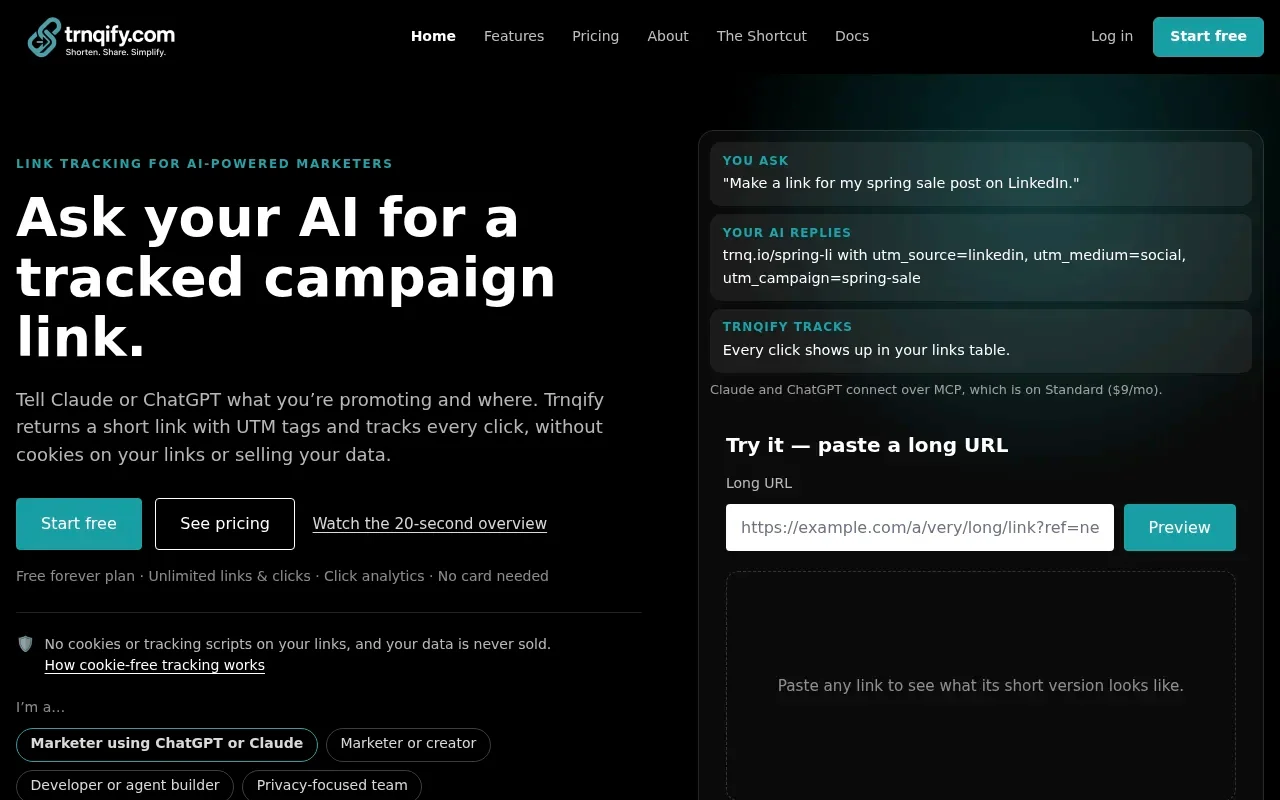
Trnqify fits agencies that need a straightforward bridge between link creation and privacy-conscious measurement. The platform handles plain-language tagging and cookie-free redirects without demanding a massive enterprise software commitment. For teams balancing fast campaign turnarounds with reliable reporting requirements, it provides essential operational tooling without unnecessary complexity.
The Free plan includes unlimited links and clicks, providing a basic seven-day analytics window and access to the in-app AI UTM Assistant. A marketing interstitial appears after one thousand clicks per month, making it a testing ground rather than a permanent production environment for high-volume client work. Small agencies can use this free environment to evaluate the AI tagging assistant, pilot campaign naming structures, and explore the click measurement interface before moving client production traffic onto paid infrastructure.
The Standard plan removes that interstitial for nine dollars per month. This tier supports twenty-five thousand clicks with overages billed at ten cents per thousand, extends the analytics window to thirty days with country and device breakdowns, and unlocks the API and MCP access required for automated agent workflows. This tier serves as a practical production baseline for agencies managing ongoing digital ad distributions that require direct redirects and automated link generation without enterprise overhead.
The Pro plan, at twenty-nine dollars per month, supports one custom domain and custom short-link slugs. It provides signed webhooks for link creation, domain events, and click milestones, enabling real-time data flow back to internal agency dashboards. Pro also includes city-level analytics with a click location map and day-to-year data granularity. The ability to route webhooks into internal client reporting systems allows agencies to build automated alert pipelines, notifying account managers the moment a seasonal campaign link crosses significant traffic thresholds.
Agencies evaluating these tiers should maintain realistic expectations regarding platform scope. Trnqify does not provide native multi-tenant team workspaces, bulk CSV link imports, or automated UTM normalization rules. If your workflow requires rigid client-level dashboard partitioning or team-based role permissions, maintaining separate individual accounts for each client represents the safest operational approach. Any questions regarding multi-client architecture or technical integrations can be directed to support@trnqify.com.
Review the UTM tracking vs link tracking distinctions to see how these features align with your specific measurement requirements. Once you define the rules for domain ownership and data access, you can deploy a system that measures clicks reliably without compromising client boundaries.
Ready to turn plain-language briefs into consistently tagged short links? Start organizing your campaign data and measuring clicks without cookies at Trnqify.
Frequently Asked Questions
What is the difference between short-link clicks and destination analytics?
A short link report records redirect requests at the moment a user taps the URL. The server counts that initial request and issues an HTTP redirect header. Destination analytics measure page loads after the user arrives at the final site, downloads HTML, and executes tracking scripts. These counts rarely match because users may close tabs before the destination loads, network connections drop during routing, or privacy extensions block tracking scripts.
Should agencies use a service domain or client-controlled custom domain for short links?
A service domain (trnq.io) requires no DNS configuration and fits temporary campaigns. A client-controlled custom domain provides brand continuity: the client retains full administrative control of the registrar account and delegates DNS access to the agency. If the business relationship concludes, the client keeps the domain and points DNS records wherever desired. An agency-controlled custom domain creates a hard dependency; the client cannot assume control without a formal transfer, which can leave live marketing materials pointing to dead destinations if renewals lapse.
How do you handle UTM naming conventions across multiple team members?
Define a shared rule for the source, medium, and campaign fields across the entire agency. Use lowercase consistently to prevent capitalization differences from fragmenting reporting. Include a short client code in the campaign value for internal filtering, but keep it confined to the campaign string. Do not put client identifiers in source or medium fields because that breaks standard channel-level attribution reporting. Analytics suites use standardized medium values like cpc, organic, email, and referral to assign traffic to default channel groupings.
What are the differences between Trnqify Free, Standard, and Pro plans for agencies?
The Free plan includes unlimited links and clicks with a basic seven-day analytics window and the in-app AI UTM Assistant, but shows an interstitial after one thousand clicks per month. The Standard plan removes the interstitial for nine dollars per month, supports twenty-five thousand clicks with overages at ten cents per thousand, extends the analytics window to thirty days with country and device breakdowns, and unlocks API and MCP access. The Pro plan at twenty-nine dollars per month supports one custom domain and custom short-link slugs, provides signed webhooks for link creation and click milestones, and includes city-level analytics with a click location map.
How does MCP differ from A2A protocol in link management workflows?
MCP (Model Context Protocol) acts as the translation layer between a language model and a software API, allowing an agent to request a short link and receive the resulting URL. A2A (Agent-to-Agent) protocol supports communication and task delegation between different AI agents. For example, a campaign-planning agent could generate marketing copy then use A2A to hand the brief over to a specialized MCP-connected agent responsible for URL creation. Both protocols require human confirmation before publishing live URLs.