
Campaign Link Management for Lean Teams
Managing every link from the initial campaign brief through to final click review requires more than a scattered list of short URLs. Without a central record, you lose track of which links belong to which channels, UTM tags drift into inconsistent casing, and comparing performance across placements becomes impossible. Campaign link management solves this by organizing destinations, owners, tracking parameters, and results into one structured register.
A dedicated register keeps active links findable. Instead of pasting URLs into individual Slack messages or relying on browser histories, you build a shared reference point. This workflow requires a naming convention for your tags, a consistent way to shorten links, and a clear method for recording placement details.
Trnqify acts as an optional layer for link creation and measurement in this process. Its platform provides an AI UTM Assistant that suggests campaign tags from a plain-language description, generates shareable short links, and offers per-link click analytics. While the register tracks ownership and placement, Trnqify handles the link redirect and records clicks without cookies.

Setting up this system means defining your rules before generating the first link. Once the foundation is in place, you can build a repeatable process for drafting, testing, and reviewing every placement.
Before You Start, Set UTM Naming Rules
Consistent data depends on a strict, agreed-upon vocabulary. If one person tags a link with facebook and another uses FB, analytics platforms will split that traffic into two separate referrer rows. The first prerequisite for campaign link management is a written naming convention that everyone follows.
Google Analytics relies on specific query parameters to categorize incoming traffic. The core fields dictate how visits appear in your acquisition reports. utm_source identifies the specific referrer sending the traffic, such as a search engine, a newsletter, or a social network. utm_medium defines the broader marketing channel, such as email, cost-per-click advertising, or organic social. utm_campaign names the specific promotional initiative or product launch.
You can add two optional fields when the reporting requires more granularity. Use utm_content to distinguish between different creatives, button placements, or audience segments sharing the same source and medium. Use utm_term to track specific paid keywords in search campaigns.
In Google Analytics, UTM parameter values are case-sensitive. Google recommends consistent naming because a variation in capitalization creates fragmented reporting. So have your organization choose one casing format, such as lowercase with underscores separating words. The exact format matters less than the commitment to use it universally across every link you create.
A practical rule for structuring these values is to keep the campaign name stable across every placement tied to that initiative. If you run a spring promotion, spring_sale remains the campaign value whether the link sits in a promotional email or an affiliate blog post. The source and medium values then change to match where the specific link is published.
Two guardrails belong in your naming rules before anyone creates a link. First, never put email addresses, customer names, personal mobile numbers, or any personal identifiers in your tracking tags. Google Analytics policies explicitly forbid sending personally identifiable information into the platform through custom campaign parameters.
Second, paid media environments require careful handling when manual UTMs interact with platform-specific auto-tagging. Google notes that auto-tagged values take precedence for traffic-source dimensions when both methods are active. Manual UTMs typically supply the source information only when the platform’s native click identifiers fail to process as intended. Test your final paid-media URLs in the live analytics setup rather than assuming manual tags will override a platform’s native tracking logic.
Step 1: Build One Register Row per Placement
A functional register operates as a workflow record. Rather than logging a single campaign and hoping everyone remembers how to tag individual channels, you build the spreadsheet to mandate specific details for every distinct placement.
A campaign link tracking worksheet used by the University of Texas at Austin demonstrates why this matters. That shared document lets multiple people collaborate, keeps a record of the campaign links they create, and helps keep labels consistent.
Create one row for every live placement when you need link-level comparisons. If you send a newsletter with two separate calls to action, each CTA gets its own row. This granularity gives owners clear visibility into which specific element drove the click.
Set up your register with the following columns. These are recommended spreadsheet fields for your internal documentation, not built-in features of Trnqify or your analytics platform.
| Register field | What to record |
|---|---|
| Campaign name or ID | The canonical initiative name used across channels |
| Owner | Person responsible for the link or campaign |
| Canonical destination | The landing page without campaign parameters |
| Tagged destination | The final URL with its full UTM query string |
| UTM source | The referrer sending the traffic |
| UTM medium | The broader marketing channel |
| UTM campaign | The specific promotional initiative |
| UTM content / term | Creative variant, placement variant, or paid keyword |
| Channel and placement | A human-readable location, like “Instagram Story” |
| Short URL | The exact short link shared with the audience |
| Status and flight dates | Draft, live, paused, or retired; planned start/end dates |
| Click results | A dated click snapshot or a pointer to the analytics view |
| QA check | Whether the destination and UTM values were verified |
To see how this works in practice, consider a promotion using the campaign value spring_sale. The promotion includes links via an Instagram Story and a newsletter hero image. The campaign value stays identical, but the source, medium, and content change.
The Instagram Story row records these values:
?utm_source=instagram&utm_medium=social&utm_campaign=spring_sale&utm_content=story
The newsletter hero CTA row records these values:
?utm_source=newsletter&utm_medium=email&utm_campaign=spring_sale&utm_content=hero_cta
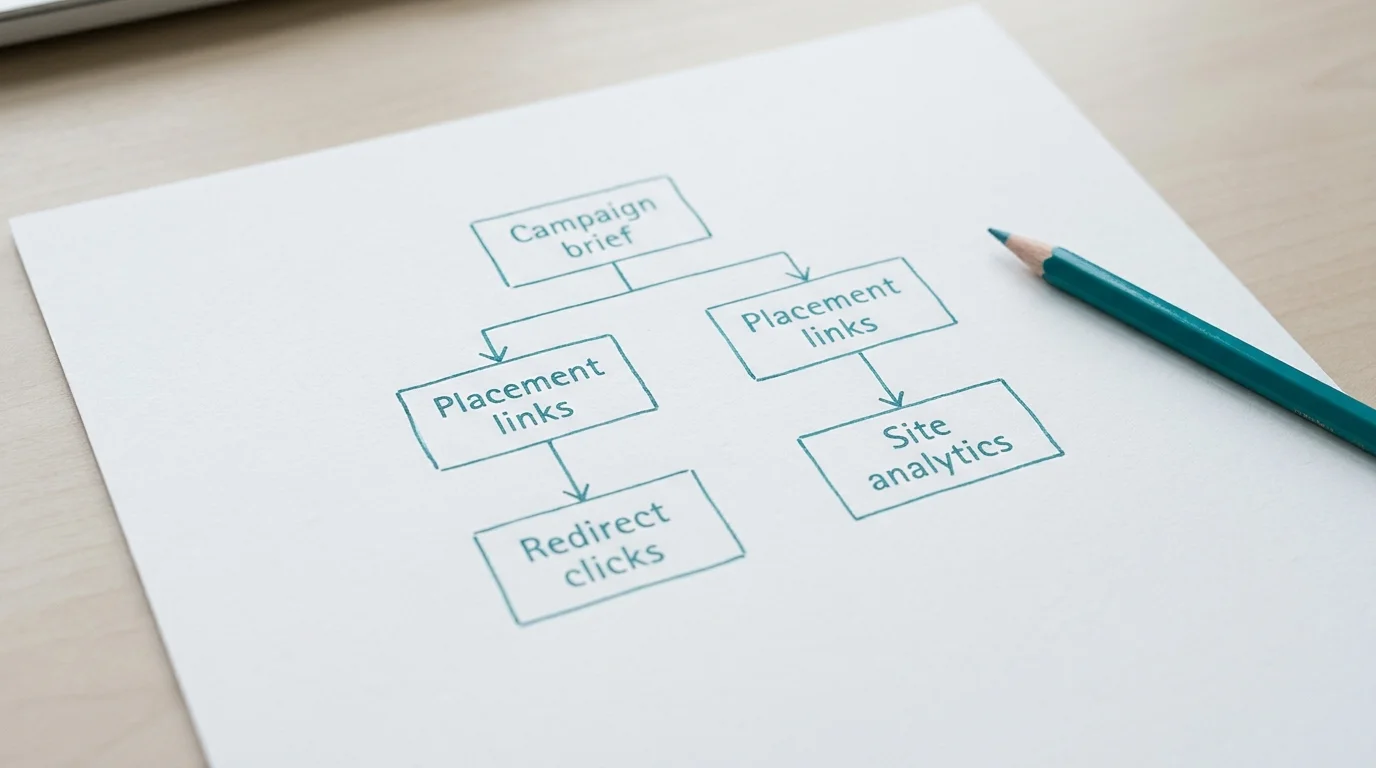
Recording separate short links for these two placements allows you to measure exactly how many clicks originated from the social post versus the email. The canonical destination remains the same, but the discrete query parameters tell your analytics platform exactly how the visitor arrived. Link management for agencies often scales this exact structure across separate client tabs to prevent overlapping campaign values.
Step 2: Draft, Shorten, and Test Each Link
Generating the final URL requires translating your campaign brief into query parameters, generating a shareable short link, and verifying the technical redirect. Rushing this sequence usually results in broken links or lost tracking data.
Start by describing the campaign and the specific placement in plain language. If you use Trnqify, you can ask the in-app AI UTM Assistant to generate a first draft of your tags based on that description. The assistant suggests relevant campaign parameters, but it does not automatically enforce your internal naming rules.
Review the AI-suggested source, medium, and campaign values against your established register. If the assistant suggests utm_source=IG but your convention demands utm_source=instagram, manually update the value. Add optional content or term values only when the specific reporting question requires that level of detail. Unnecessary parameters clutter your URLs and fragment your reports without adding analytical value.
Google Analytics processes URLs based on a standard syntax. A question mark goes between the canonical destination URL and the first tracking parameter. Ampersands separate every subsequent parameter-value pair. If you type a second question mark or omit an ampersand, the analytics platform will fail to parse the traffic source correctly.
Create the short link once the tagged destination URL is properly formatted. Trnqify uses the trnq.io domain for standard short links, while the Pro plan supports custom domains. The platform binds your long, tagged URL to the short identifier.
Testing the link before publication is necessary. Do not assume the shortening tool processed the parameters perfectly or that the destination server accepts query strings without stripping them.

Open a private or incognito browser window to run a clean QA check. Paste the new short URL into the address bar and press enter. Verify two distinct outcomes.
First, confirm the browser reaches the correct canonical destination. A typo in the original URL submission will send users to a 404 error page.
Second, check the address bar after the page fully loads. The UTM parameters need to survive the redirect. Some website configurations, strict server caching rules, or aggressive security firewalls strip query strings during page load. If the address bar shows only the canonical URL without the question mark and parameters, your analytics platform will record the visit as direct traffic.
Record the exact short link, the QA result, the link owner, and the intended flight dates in your register only after the redirect proves successful. Catching failure modes during this phase prevents data loss after a campaign goes live. Look for inconsistent casing, missing ampersands, wrong landing pages, and any accidental inclusion of personal information in the tags.
Step 3: Publish Links and Review Click Results
A link moves from draft to live status in the register the moment you publish it to the intended channel. Keeping the flight dates and status current helps everyone understand which campaigns are actively driving traffic and which are historical records.
Reviewing the results requires understanding the technical difference between a short-link click and a destination-site session. These two metrics measure different events in the user journey.
Trnqify records a click at the exact moment the short URL redirects the user to the destination. This happens at the server level. The platform’s product materials state that it records these redirect-level clicks without placing cookies or tracking scripts on the shared short links. Because it logs the redirect itself, the total click count represents the number of times the short link was accessed. Trnqify provides this per-link and account-wide click data natively, which helps you understand immediate engagement with your placements.
Google Analytics, conversely, records a session only after the destination website loads, the client-side JavaScript tracking script fires, and the UTM parameters are processed.
A click is not automatically a website session, a unique person, or a conversion. If a user clicks a short link on a mobile device but closes the browser before the destination site fully loads, Trnqify records a click, but Google Analytics will not record a session. Ad blockers, network drops, and privacy extensions can also prevent the destination analytics script from firing.
Treat these measurement layers as complementary. Redirect analytics show how many times an audience interacted with the placement. Destination analytics reveal what the audience did after they arrived on your website. Capturing click analytics without cookies provides a privacy-conscious engagement baseline, but it does not replace the attribution tracking required to measure on-site purchases or form submissions.
Update your campaign register at the end of the reporting window. Log the dated click results directly into the spreadsheet, or paste a link to the specific analytics view. This final step closes the loop, allowing the next person who views the register to see not only where the link lived, but how it performed.
Optional: Automate Repeatable Link Tasks
Once your organization builds discipline around the manual register, naming rules, and QA checks, you can introduce automation to handle repetitive link tasks. Attempting to automate link creation before establishing a consistent vocabulary usually results in scaling bad data.
Trnqify supports integration with AI agents through the Model Context Protocol (MCP) and agent-to-agent (A2A) frameworks on its paid tiers. These protocols allow external systems to interact with link shortening and click measurement programmatically.
You can use a connected assistant to streamline the drafting phase. Instead of typing parameters manually, describe a new newsletter campaign to a connected AI agent. The agent drafts the UTM values according to your historical patterns, requests a short link via the API, and returns the ready-to-test URL directly in the chat interface.
If you manage multiple platforms, you can use automation to maintain separate tracking links without the manual overhead. A workflow could automatically generate distinct short links for an upcoming video release, such as one for the email blast and one for the social media bio, ensuring that link-level clicks remain separate in the reporting dashboard.
If you develop agent workflows, you can explore link creation inside larger automated campaign deployments. A conceptual A2A setup might involve a planning agent that defines the promotional schedule and hands the requirements over to a publishing agent. The publishing agent then requests the shortened URLs, verifies the UTM parameters, and stages the content for release.
Always check current developer documentation regarding exact API endpoints, authentication requirements, and webhook event schemas before configuring an automated pipeline. Tools like MCP rely on secure token management and precise formatting to function correctly. Treat automation as a way to accelerate a well-documented process, not as a replacement for human oversight of your analytics strategy. If you need to update thousands of existing URLs before implementing automation, consult a short link migration checklist to ensure legacy campaigns continue resolving correctly.
Ready to manage your campaign links with AI-assisted tagging and privacy-first measurement? Start creating UTM-tracked short links with Trnqify today.
Frequently Asked Questions
What Is Campaign Link Management?
Campaign link management connects the creation, labeling, recording, and measurement of promotional URLs into one predictable workflow. Instead of generating short links sporadically across different tools, a managed approach uses a central register. This register tracks the canonical destination, the specific UTM parameters applied, the intended placement channel, the final short URL, and the ownership details. The goal is to keep active links organized, enforce naming conventions, and make click results easy to locate and compare across the organization.
What Fields Belong in a Campaign-Link Register?
A functional register needs columns that describe both the tracking mechanics and the operational ownership of the link. Include fields for the campaign name, the link owner, and the canonical landing page. Add dedicated columns for the exact UTM source, medium, and campaign parameters, along with optional content or term values. Record the human-readable placement location, such as a specific email newsletter or social media bio. Finally, include the generated short URL, the current status of the link, the flight dates, and a column to verify that a QA check was completed.
Which UTM Parameters Should I Use?
Rely on three core parameters for standard traffic attribution. Use `utm_source` to identify the specific referrer sending the traffic, `utm_medium` to define the broader marketing channel, and `utm_campaign` to label the specific initiative or promotion. These three fields answer where the traffic originated, how it arrived, and why the link was shared. Use `utm_content` only when you need to distinguish between different creative assets or links within the exact same placement. Use `utm_term` specifically when tracking paid keywords in search campaigns. Avoid adding optional parameters if they do not directly answer a reporting question.
Should Each Email, Social, or Ad Placement Get Its Own Short Link?
Yes, separate placements should receive their own distinct short links if you want to compare their performance accurately. When you use the same short link across an email newsletter and a social media post, the redirect click analytics merge all activity into one total count. Generating a distinct link for each placement, even if they share identical UTM parameters, allows a platform like Trnqify to report per-link click totals. This separation shows exactly which channel drove immediate engagement before the user reached your analytics platform.
Are Short-Link Clicks the Same as Website Visits or Conversions?
No, a short-link click and a website session measure two different events in the user journey. A short-link click occurs at the server level the moment the redirect executes. Trnqify records this event without relying on client-side cookies or tracking scripts. A website visit or session occurs only after the destination page loads and the analytics JavaScript successfully fires in the user's browser. Connection drops, ad blockers, and users closing the window before the page renders will cause redirect clicks to be higher than recorded destination sessions. Neither metric automatically equals a conversion, which requires a completed action on the destination site.
Can AI Help Create UTM-Tagged Campaign Links?
AI can accelerate the drafting phase of link creation by suggesting appropriate tags based on a plain-language description of your campaign. Tools like Trnqify's AI UTM Assistant analyze the context of your promotion and propose the source, medium, and campaign values. However, AI does not guarantee compliance with your internal naming rules. A human must still review the suggested parameters to ensure they match the exact casing and vocabulary established in your register before finalizing the short link.
Can UTM Parameters Include Customer Names or Email Addresses?
Never include customer names, email addresses, phone numbers, or any other personally identifiable information in your UTM parameters. These values are visible in the browser address bar and are transmitted directly to your analytics platforms. Google Analytics strictly prohibits the collection of personally identifiable information through custom campaign parameters. If you need to track individual user journeys from an email click, use your email service provider's native, encrypted subscriber ID features rather than exposing plain text names in a URL query string.
How Can Developers Use MCP, A2A, or an API for Link Workflows?
Developers can integrate link creation and measurement into larger automated systems using APIs and agent protocols. With the Model Context Protocol (MCP), external AI agents can request short links, apply tags, and retrieve click analytics directly within a chat or IDE interface. Agent-to-agent (A2A) frameworks allow conceptual workflows where a planning agent dictates campaign requirements and passes them to a publishing agent to generate the URLs. You authenticate these connections via secure tokens and verify the supported event schemas in the current technical documentation to ensure the automated handoffs function correctly.