
Affiliate Link Shortener: Keep Tracking Intact
To measure clicks without stripping the tags that credit your account for a sale, you need a reliable process for wrapping a complex affiliate URL in an affiliate link shortener. This requires an active affiliate program account, a generated product link from that program, and a Trnqify account to handle the shortening and campaign measurement.
Affiliate networks generate long, complex URLs packed with identifiers. Raw links can be awkward in newsletters, social media posts, or text messages, where they may disrupt formatting or make readers hesitate to click. An affiliate link shortener fixes the presentation problem, but introducing a new tool between your audience and your affiliate network requires care. A broken redirect chain or a stripped parameter can send traffic to the merchant without crediting your account.
How to Shorten an Affiliate Link Without Losing Tracking
You can successfully shorten an affiliate link as long as the shortener points to the complete program-generated URL and the affiliate program permits redirected links. The short URL acts entirely as a redirect wrapper rather than a new attribution mechanism, meaning it does not replace the network tracking already embedded in the destination link.
When a user clicks the shortened URL, they reach the shortening service first. The service records the visit and forwards the browser to the original affiliate link. From there, the affiliate network processes the tracking parameters, sets any necessary attribution data, and forwards the user to the final merchant product page.
This multi-step journey means the shortener and the affiliate network operate independently. Trnqify functions as a short-link and campaign-measurement layer at the start of that journey, recording visits to its redirect so you get direct click data. Meanwhile, the affiliate network or merchant handles the final attribution and issues the commissions. Preserving the issued URL exactly as provided by your network helps ensure the network receives the data it expects when the user arrives.
Tracking Details to Preserve in the Link
Affiliate attribution and campaign analytics answer two different questions. Affiliate parameters tell the network who earned the commission, while analytics tags tell a website owner where their traffic originated. No universal query string handles both automatically.
Preserve Affiliate and Network Placement Identifiers
The URL issued by your affiliate program contains an affiliate identifier and an intended destination, and may include network-specific placement values. The affiliate identifier helps credit your account when a referred visitor completes a purchase or a lead form, while placement values can help you report where the link appeared.
Impact documentation explains that impact.com captures and stores Sub ID and Shared ID values present on a tracking link when a user clicks it, then correlates the click with the action. Because asset placement is one use for Sub IDs, include a placement value in the tracking link when you want placement-level reporting.
Keep UTM Tags in the Analytics Layer
UTM parameters help identify campaign traffic in analytics properties like Google Analytics by telling the merchant website how a user found the page. Typical values include utm_source=newsletter, utm_medium=email, and utm_campaign=seasonal_gear_guide.
These UTM tags identify campaigns in Google Analytics reports, and Google Analytics guidance notes that parameter values are case-sensitive, so consistent lowercase naming helps prevent differently capitalized values from fragmenting campaign reporting.
Add UTM parameters to an affiliate link only if the program supports passing them through the redirect chain to the merchant page. Some networks strip unrecognized query parameters during their own redirect step, which means the merchant will see generic affiliate traffic in their analytics dashboard. Test the program’s pass-through behavior before relying on UTMs for your own campaign tracking.
Compliance and Policy Checks for Shortened Links
Before publishing a shortened link, check that your affiliate program allows link cloaking or shortening. Program policies vary widely, and violating them can result in suspended accounts or forfeited commissions.
The Amazon Associates linking requirements provide a clear example of program-specific rules. Amazon requires that Special Links include the Associates tag as a URL parameter, and prohibits using a link-shortening service in a way that makes it unclear that you are linking to an Amazon site. So, if you shorten an Amazon link, make sure it remains clear that it leads to Amazon.
If your audience includes users in the United States, you must comply with regulatory requirements for disclosing sponsored content. Federal Trade Commission guidelines call for affiliate relationship disclosures to be clear and conspicuous, and placed close to the recommendation or link. For social media video content, the disclosure might need to appear within the video itself as well as in the description near the link.

Shortening and Testing an Affiliate Link
The safest way to create a shortened affiliate link is to treat the network URL as an unbreakable unit, starting with the program-generated tracking link rather than the plain merchant landing page.
- Generate the complete link for the intended product. Log into your affiliate network and use its tools to create a link pointing to the specific merchant page. Ensure your primary affiliate ID is present.
- Add a non-personal placement identifier. If you want to track where you placed the link, use the program’s approved method for adding reporting information. For example, add a Sub ID identifying the placement as a sidebar banner or a newsletter link.
- Plan UTMs separately. Decide on a consistent naming scheme for your source, medium, and campaign. Add these to the link only if you have confirmed that the network passes UTM values through to the final destination.
- Shorten the complete issued URL. Open your Trnqify dashboard and paste the entire affiliate link into the destination field. Do not attempt to rebuild the query string or remove any network identifiers.
- Open the short link to test the chain. Open a private browsing window and click your new shortened link. Confirm that the browser reaches the correct merchant page. Finally, log back into your affiliate network and check that the test click registered in your dashboard along with the correct placement identifier.
Failure modes typically appear during this testing phase. If the short link results in a 404 error, you might have truncated the URL during copying, so return to the affiliate network, copy the link again, and update the destination in Trnqify. When the landing page loads but the network shows zero clicks after an hour, the redirect might be bypassing the network entirely because you shortened the plain merchant URL instead of the network tracking link. If UTMs fail to appear in the destination URL, the affiliate network is probably stripping them during its redirect step, requiring you to rely on the network’s internal Sub IDs for placement tracking.
If your network provides a link checker or a test-transaction workflow, use it. These built-in diagnostic tools identify tracking problems before you send live traffic.
Integrating Trnqify into an Affiliate Workflow
Trnqify operates as the short-link and campaign-measurement layer. It turns long network URLs into readable links and records clicks, but it does not confirm affiliate commissions or alter network attribution rules.
A practical workflow begins with the Trnqify in-app AI UTM Assistant, where you describe your intended placement in plain language to get suggested campaign tags. The affiliate program supplies the tracking link containing your network-specific placement identifiers, and Trnqify shortens that complete URL while reporting redirect clicks in your dashboard. Through all this, the affiliate network remains the ultimate source for attributed actions and final commission payouts.
If you are automating link workflows with AI, you can prompt the assistant carefully to prevent tracking errors. A strong prompt looks like this: “Create a Trnqify short link for the affiliate URL exactly as supplied. Do not alter or remove any existing identifier or query parameter. Suggest source, medium, and campaign values for this placement, and flag that UTMs should only be applied if the affiliate program passes them to the merchant page.”
Trnqify offers several tiers depending on your click volume and technical needs. The Free plan provides unlimited links and clicks, with a marketing interstitial appearing after 1,000 clicks per month, plus seven days of basic click analytics and the AI UTM Assistant. The Standard plan at $9 per month removes the interstitial, offers 25,000 clicks per month, extends analytics to 30 days with country and device breakdowns, and provides access to the API and MCP server. The Pro plan at $29 per month adds custom domains, custom short-link slugs, signed webhooks for up to three event types, and city-level analytics with day-to-year granularity.
Through the MCP server, Trnqify connects with AI agents like Claude and ChatGPT to create and organize short links programmatically. Agents can manage campaign tags and return shareable links, but they lack the ability to verify a specific affiliate program’s terms of service or reconcile network conversions without separate access to the network’s data.
Trnqify also provides a distinct privacy approach. As a privacy analytics solution, Trnqify records clicks at redirect time without placing cookies or tracking scripts on the shared links, and it does not sell user data. This cookie-free measurement applies only to the short-link redirect layer. Downstream affiliate networks and merchants generally still rely on cookies, device fingerprints, or other tracking methods to attribute the final sale.
Reconciling Short-Link Clicks With Affiliate Conversions
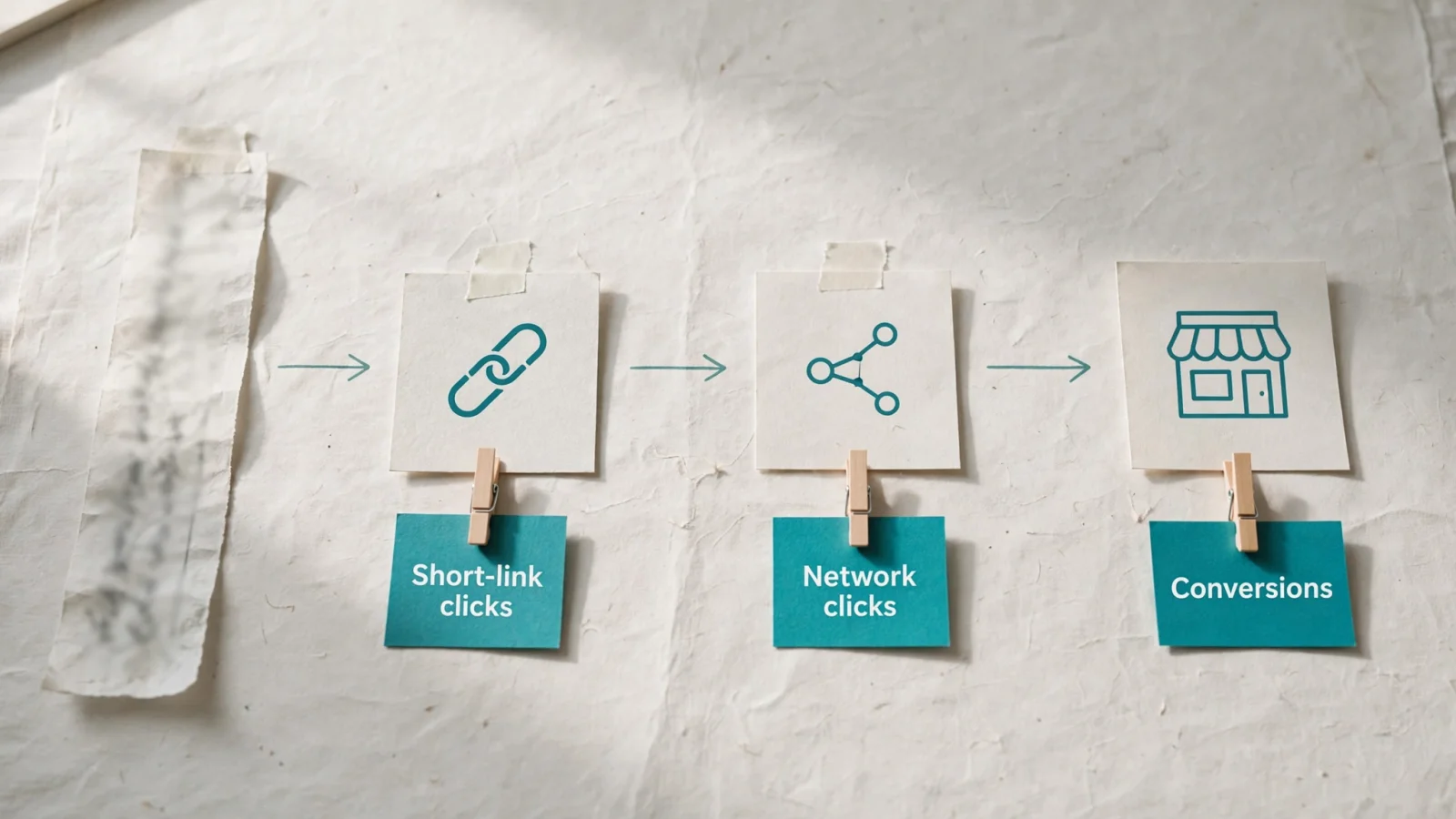
Short-link clicks, affiliate network clicks, and merchant conversions represent different stages in a funnel, measuring distinct events whose totals rarely match perfectly.
Know What Each Report Counts
Reporting definitions vary across platforms. Trnqify logs a click when a user hits the redirect. Meanwhile, networks like Impact distinguish generic clicks from successful, valid conversions, noting that click totals can include both unique and repeat visits. Because each system records a different event, the totals may not match, so treat them as a progression from initial intent to final action.
| Measurement Layer | What the System Records | Best Report to Consult |
|---|---|---|
| Shortener | A visit to the shareable short URL and the initial redirect | The shortener’s per-link click analytics |
| Affiliate network | A click reaching the network tracking link, along with network identifiers | The network’s click and placement-parameter reports |
| Conversion reporting | A purchase, lead, or specified action and its current status | The network or merchant’s action and commission reports |
Compare the Same Link, Placement, and Period
When investigating discrepancies, isolate the variables by comparing data for the exact same short link or placement over aligned date ranges. Use the network’s Sub ID, Shared ID, or equivalent reporting field to filter the affiliate data down to the specific placement you are evaluating.
A useful operational diagnostic is dividing your network clicks by your shortener clicks to spot large drop-offs, which may be associated with ad blockers or network latency. To calculate your affiliate conversion rate, rely on the network’s own click and valid-action definitions rather than the shortener’s click count.
If the shortener shows hundreds of clicks but the network shows none, verify the entire sequence to confirm the redirect chain remains intact and the final destination URL includes the correct affiliate ID. Review the reporting definitions to ensure you are comparing equivalent metrics, and align the date range and time zone settings across both platforms.
Review the network’s specific attribution rules. For Awin, the Awin Tracking FAQs, updated September 29, 2026, cover functionality currently available only on Awin Classic. They say Awin’s cookie period is typically 30 days and that, when a customer clicks multiple affiliate links before buying within that period, Awin attributes the sale to the last-clicked affiliate. So, if another affiliate’s link is the last click before a purchase within the cookie period, that affiliate receives the attribution instead of you. If an Awin transaction is not tracking, the FAQs recommend running a test transaction with the Tracking Wizard to check for an issue. For another network, check whether it offers a diagnostic tool before assuming a link is broken.
Get your campaign links organized and start tracking clicks at redirect time. Connect your AI agents or use the in-app UTM Assistant by creating a free account at Trnqify.
Frequently Asked Questions
What is an affiliate link shortener?
An affiliate link shortener wraps a long, complex affiliate tracking URL into a clean, readable link while preserving all network identifiers (affiliate ID, Sub IDs, Shared IDs) and query parameters. It acts as a redirect wrapper—not a replacement for the affiliate network's tracking—so your commissions stay credited.
Can I shorten an Amazon affiliate link?
Yes, but Amazon's linking requirements require that Special Links include the Associates tag as a URL parameter, and prohibit using a link-shortening service in a way that makes it unclear you're linking to Amazon. If you shorten an Amazon link, ensure it remains clear that it leads to Amazon.
Do shortened affiliate links break tracking?
Not when done correctly. A properly configured shortener points to the complete affiliate tracking URL (not the plain merchant URL) and preserves every query parameter. Always test the redirect chain: the short link should land on the correct merchant page, and your affiliate network should register the click with all identifiers intact.
How do I test a shortened affiliate link?
Open the short link in a private browsing window, confirm it reaches the correct merchant product page, then check your affiliate network dashboard to verify the test click registered with the correct placement identifier. If you see a 404, you likely truncated the URL during copying. If the network shows zero clicks, you may have shortened the plain merchant URL instead of the network tracking link.
What's the difference between short-link clicks and affiliate conversions?
They measure different funnel stages. Trnqify logs a click when a user hits the redirect. The affiliate network logs a click reaching its tracking link (with identifiers). Conversions are purchases, leads, or specified actions. Totals rarely match perfectly—treat them as a progression from initial intent to final action, and use the network's own click and valid-action definitions for conversion rates.